
Forget arguing about Ubuntu vs. Debian. This roundup sticks to the distros that actually crossed our test bench in this year’s Distro of the Week column, and the five that rose above the rest.
Rather than give you a distro to try out for the Christmas and New Year’s holidays, FOSS Force has decided to take a different route for the next couple of weeks. Instead of boring you with a review that, chances are, you’re just going to bypass anyway, we are going back through all of our Distro of the Week reviews since May and pick out five of the best distros for 2025.
We’re going to do this Late Night With David Letterman style (remember the Top 10 List?). We’re going to count down from five to one, not for any particular reason other than to keep you interested… and maybe, if we’re lucky, in suspense.
So get comfortable, settle down with whatever libation you’ve chosen for your own personal holiday cheer and read on.
Here are my picks, from the distros I actually spent time with, of the five best of the year for 2025:
- elementaryOS 8.0.2
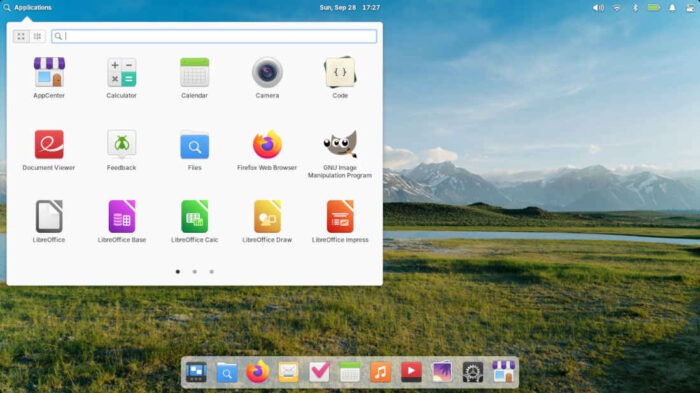
The Applications menu in elementaryOS 8.0.2 after I installed Firefox, GIMP, and LibreOffice. Back in October elementaryOS and I didn’t start off that well. Putting aside the fact that I was bordering on apoplectic about having to “pay” to use the distro (I really didn’t, since I just put a “0” in the pay-what-you-can field), at first look the distro seemed to pander to the worst aspect of trying to get Windows users to use Linux — by treating them like complete Neanderthals instead of normal everyday individuals, which most of them are.
However, this ire was short-lived. After adding what I think of as the proper apps (and then some) thanks to elementaryOS’s AppCenter, the Ubuntu-based elementaryOS experience went immediately from drudgery to joy. While I had to add more software elementaryOS’s default install than I usually do, AppCenter should get high marks for having a wide range of apps available.
Although it is aimed squarely at beginners, the distro deserves high marks for its clean look and user-friendliness, and if you can overlook its in-house software – with names like Mail, Music, and Photos, among others – then maybe this distro is for you.
- Bluestar Linux
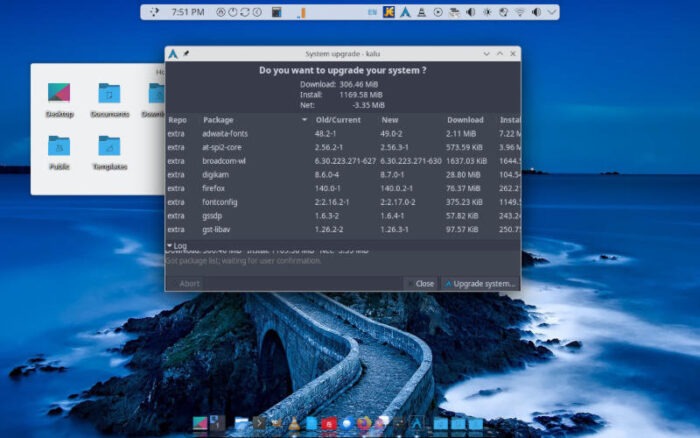
To update Bluestar, users put a program named Kalu to work — Kalu stands for “keeping Arch Linux up-to-date.” Personally, I would have liked to have rated Bluestar Linux higher in these rankings. This German distro is based on Arch with the KDE Plasma desktop, and as I wrote in the July review, where I once would run for the hills at the mere thought of running a distro based on Arch, today I would willingly embrace the opportunity, thanks in large part to distros like this one.
One of the main selling points for this distro was also the reason why the ISO was one of the largest of any of the distros tested: there was little that needed to be done once the distro was installed. You updated it, of course, but all the software you need is already installed. The GIMP graphics editor, VLC media player, and the LibreOffice suite were all installed and ready to go, unlike on most distros.
Add to this the wide variety of KDE-based software available — which seems to include everything KDE has available — and you have one of the most complete distros available. It’s a solid effort from the Bluestar Linux folks.
- MX Linux 23.6 Libretto/antiX 23.2 ‘Arditi del Popolo’
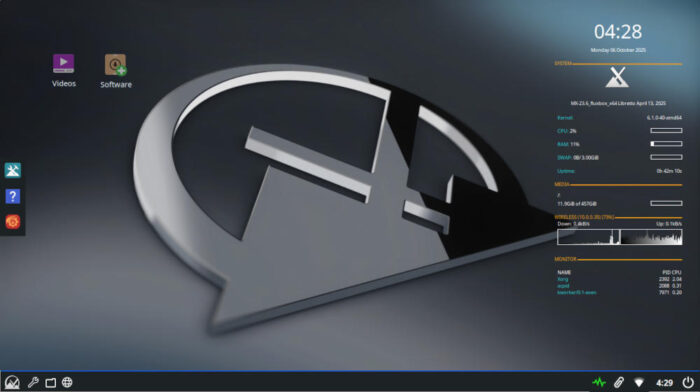
MX Linux The middle spot on this list gets a twofer by virtue of the fact that MX Linux and antiX technically are joined at the hip.
As I wrote back in October, the MX Linux project “started as a collaborative effort between the antiX and former MEPIS communities, with the name being derived from the ‘M’ in MEPIS and the ‘X’ in antiX, as an acknowledgment of its roots.”
The difference between the two is explained by Brian Masinick, a moderator on the antiX forum:
“First, antiX is designed specifically to run primarily on old equipment and it is conservative in the use of all system resources – memory, CPU, and storage. Secondly, antiX uses command line tools and utilities extensively and small, efficient window managers along with simple graphical tools.
“MX Linux is designed to be a complete, easy to use, desktop-oriented system. While in comparison to many other full-featured distributions, MX Linux is reasonably efficient, usability and simplicity are the primary design goals.”
Also to their credit, both the Debian-based MX Linux and antiX – reviewed in June – both come in 32- and 64-bit flavors, which is becoming increasingly less common, and the ISOs for both were a small 1.9 GB for MX Linux and 1.8 for antiX. For the size of the ISOs, both install a substantial amount of software by default, which far outweighs the size of the ISO.
Both MX Linux and antiX provide formidable Linux options for a wide range of hardware, which is a large reason why they rank here. You would find it hard to match MX Linux for newer hardware, and antiX keeps older hardware kicking.
- BunsenLabs Boron
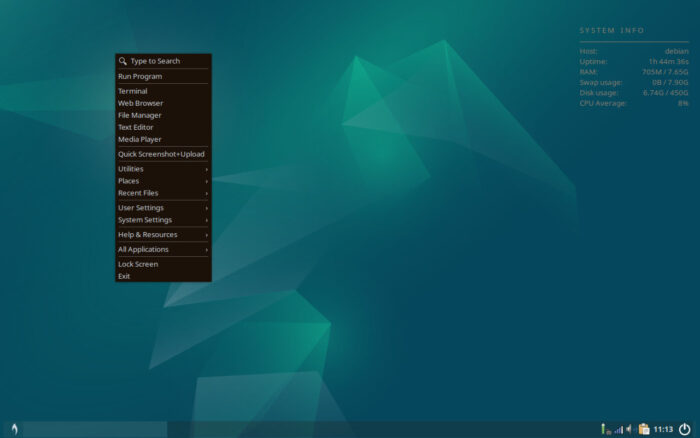
Boron desktop with panel on the bottom and amended Conky. Forgive me for dropping my objectivity here, but I freely admit that today BunsenLabs is my day-to-day Linux distro, and it has been since I did the review back in May. And as much as I would have liked to have put it in the top spot, well, the distro that finished first deserved to finish first thanks to the fact that it’s a leader in the Linux field backed by an army of developers and maintainers.
Sadly, BunsenLabs does not have that luxury, but it does just fine regardless. It is the direct descendant of CrunchBang Linux, or #! for short, the lightweight distro for 32- and 64-bit machines from British software developer Philip Newborough, which he quit developing about 10 years ago, saying that the distro had run its course.
Soon afterwards, the team of developers at CrunchBang picked up the ball, metaphorically speaking, and ran with it, and faithfully kept that community spirit alive and well in their distribution called BunsenLabs, with versions chosen by going down the list of the Periodic Table of Elements. The distro is now at Boron, the fifth element. It’s a very lightweight distro, based on Debian with the Openbox window manager, with super-light hardware requirements as well.
Using Openbox and having Conky available have turned it into a real treat for me, and I look forward to spending more time using this distro on a daily basis.
- Linux Mint 22.2 ‘Zara’
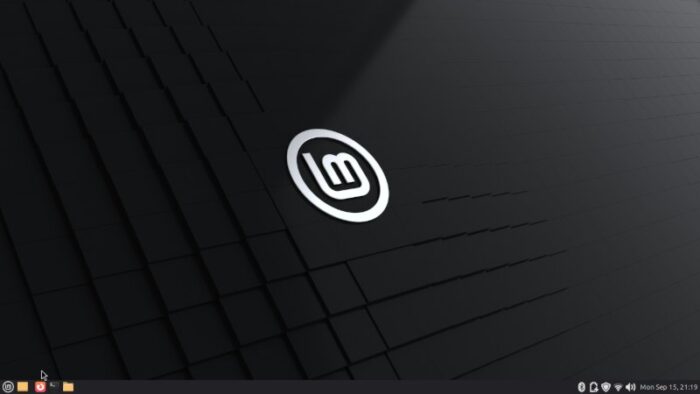
Fun fact: The Linux Mint 22.2 Mate desktop was once the default for Linux Mint. As I mentioned in my review in September, this Ubuntu-based distro “proves once again why it’s consistently one of the leading projects in the Linux realm.”
In the plus column are a well-edited wiki, a worldwide community available to help, and an up-to-date distro that includes all the right software.
In the negative column is… well, nothing really.
Linux Mint has grown to become a more-than-viable option to the Ubuntu and Red Hat juggernaut in the Linux universe by virtue of the improvements it’s brought to desktop Linux over time. For Zara, the inclusion of Fingwit – a fingerprint authentication application designed for Linux systems – shows that even moderate advances can be downright revolutionary.
Despite the fact that they skipped the woman’s name beginning with Y in the naming convention with Zara — I know, I know, my obsession with this makes me a “Y’s guy” — the distro itself checks all the boxes for a well-rounded distro, starting with Ubuntu’s Long Term Service being available until 2029.
Using Linux Mint 22.2 Zara — both the Cinnamon and Mate editions — is an exercise in computing at its best across any operating system. Both desktop environments are clean and clutter-free. In other words, with the LTS and the clean look of both desktop environments, there is little in the way of maintenance that has to be done with Linux Mint – you turn it on and it runs flawlessly.
And the Winner Is…
Final Thoughts
To be fair – and to paraphrase Will Rogers – I never met a distro I didn’t like, and for all the distros I’ve reviewed this year, they have all, to some degree, been nothing short of phenomenal. So if your distro merely got included in as a Distro of the Week, then congratulations. If your distro made it to this best-of-the-best list, then even more congratulations are in order.
Next week, to ring in the New Year, we are going to list five underrated Linux distros for 2025. Stay tuned, and Happy Holidays!
Do you have a distro you think would make a great feature for FOSS Force’s Distro of the Week? Don’t be shy—let us know! Offer your suggestions in the comments below (or use the “contact us” link under our masthead) and we’ll make an effort to make it so… No suggestion is too mainstream or too niche—let us know what you’d like to see!


Great insights on Bluestar Linux and BunsenLabs Boron! I’m curious—how do you decide between a lightweight distro like BunsenLabs versus a more feature-rich one like MX Linux for daily use?
Hi, telecommunication engineering —
That’s a good question. First, let me say that, Linux Mint aside, these distros finished essentially tied for the second spot.
That said, the reason I picked BunsenLabs over MX Linux for daily use is simply a matter of personal preference. MX Linux and antiX are phenomenal distros which deserve all the high praise they get, however I prefer BunsenLabs for some of the smaller things it provides, like Conky atop a windows manager which saves resources.
In other words, different strokes for different folks. Hope that helps.