Tired of emailing yourself snippets and files between Linux systems? ClusterCut replaces those hacks with a secure, LAN-based shared clipboard.
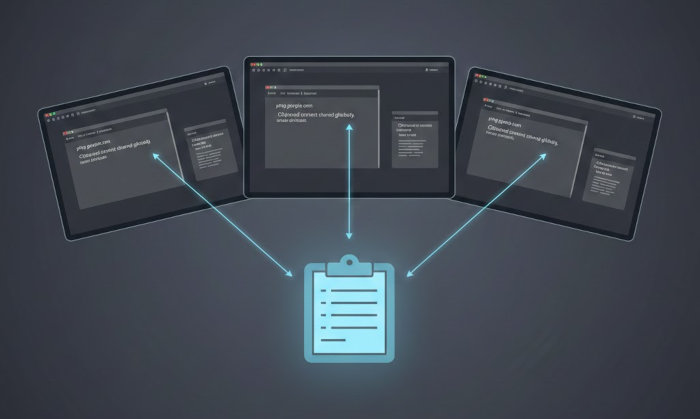
ClusterCut is the syncable clipboard you’ve been missing.
As a writer, a clipboard can often be my best friend. I use the clipboard daily for so many purposes. Of course, with Linux, you know there’s a special “added bonus” clipboard-ish feature that comes by way of the middle mouse click paste.
But when you need more than that, you’ll probably wind up turning to one of the many clipboard tools available. They’re simple to use, configurable, and convenient.
However, I tend to work across many computers throughout my day. Sometimes I’ll be at my standing desk, working with Pop!_OS; sometimes I’ll be seated in my writing chair, working with Ultramarine Linux or even macOS (yes, I do also use Apple’s OS for video edits).
When I’m away from my main desktop, what if I want access to my Pop!_OS clipboard? Most of the traditional clipboards don’t offer such a feature.

That’s where ClusterCut comes into play. This free, open-source app — licensed under GPLv3 — gives you access to anything copied from any machine you have connected to the app. It’s supposed to run on Linux, macOS, or Windows, but the download page for macOS and Windows is broken, so currently, ClusterCut can be installed on Linux.
That said, the app works really, really well.
ClusterCut offers the following features:
- Seamless clipboard sync
- File transfers
- Clipboard history
- Manual sending of copied text
- Works over a LAN or even through a VPN
- End-to-end encryption
- No cloud or servers required
- No collection of data
Installing ClusterCut
ClusterCut is installed on Linux via Flatpak. Before you attempt to install the software, make sure your machine is Flatpak-ready. Once you have Flatpak taken care of, it’s time to install ClusterCut, which is done with the command:
flatpak install clustercut

After the installation completes, if you don’t see ClusterCut in your desktop menu, log out and log back in, and it should appear.
Now, install ClusterCut on any Linux machine on your LAN for which you’d like to be able to access a shared clipboard.
Connecting to Other Instances
Connecting ClusterCut is very simple. As soon as you open the software, it will check your network to find other instances. When it finds an instance, it’ll list it in the main window.
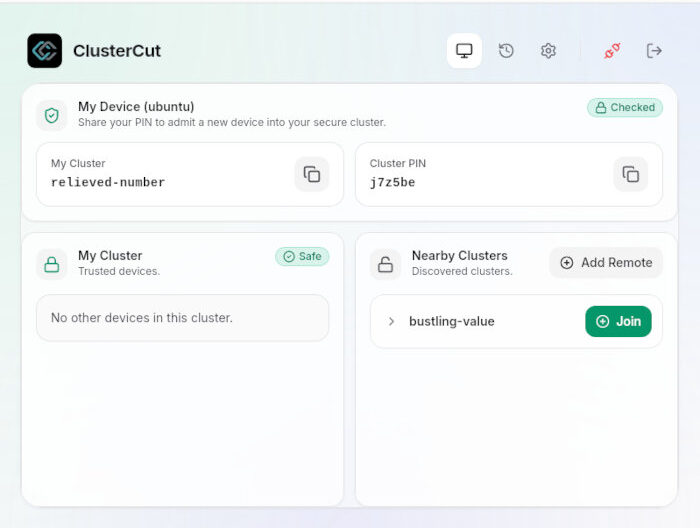
Click on the entry for the new cluster and you’ll be prompted for a PIN. You’ll have to check the remote instance of ClusterCut for its PIN. Type that PIN and click on Join Network — or hit enter — to connect.
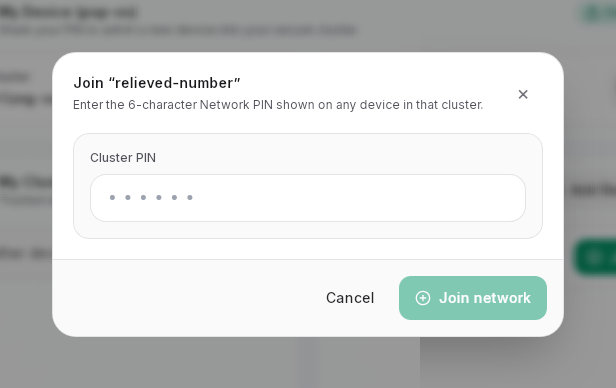
Once connected, you’ll see all of the instances listed under My Cluster.
You can connect as many instances of ClusterCut as you need to your cluster.
Using ClusterCut
This is where it gets easy (as if everything to this point wasn’t). Make sure you have ClusterCut open on all machines, and then copy some text on one of them. You should see the newly copied text appear in the History section of any instance within your cluster.
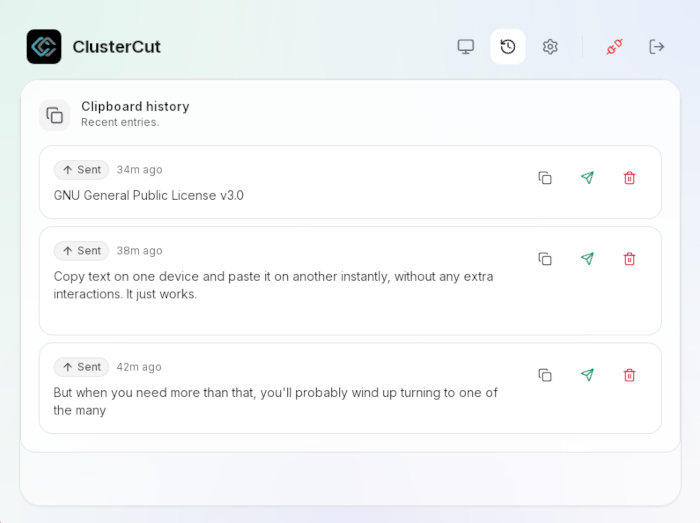
All you have to do now is click the copy icon for the text you want and then paste it into any document on your machine.
Customization
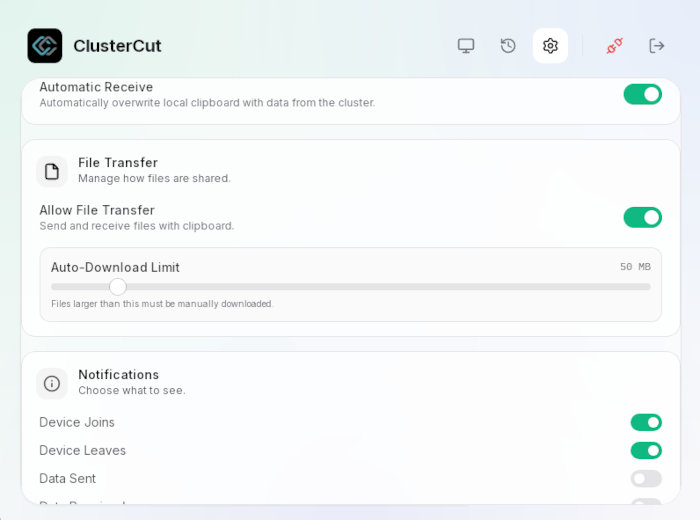
You won’t find a ton of preferences with ClusterCut. If you click the gear icon, you’ll see that you can enable the app to start on login, change the name of the machine, switch between autogenerated and provisioned mode, enable auto send/receive, enable file transfer (as well as set an auto-download size limit), and enable various notifications.
A Word of Warning
I always feel like I have to add this warning any time I write about clipboard managers. Keep in mind, if you copy passwords (or other sensitive information), it’ll be added to the clipboard and synced with all of your instances. That’s a disaster in the making.

Some clipboard managers allow you to block certain apps (such as password managers) from being added to the copied list. ClusterCut does not offer that feature, so please use caution. If you do copy a password to your clipboard, make sure to delete it. The good news is that if you delete an entry, it is deleted on all instances.
I’ve become a big fan of ClusterCut. I would recommend you give it a try and see if it doesn’t fill a particular void.
Things I like about ClusterCut… |
Things I don’t like about ClusterCut… |
|---|---|
|
|

Jack Wallen is an award-winning writer for TechRepublic, ZDNET, The New Stack, and Linux New Media. He’s covered a variety of topics for over twenty years and is an avid promoter of open source. Jack is also a novelist with over 50 published works of fiction. For more news about Jack Wallen, visit his website.