
When Lilidog Linux 26.02.06 was released on Friday, our Larry Cafiero opened it up and took a look to become one of the first to review it. As you will see, he was pleasantly surprised by what he found.
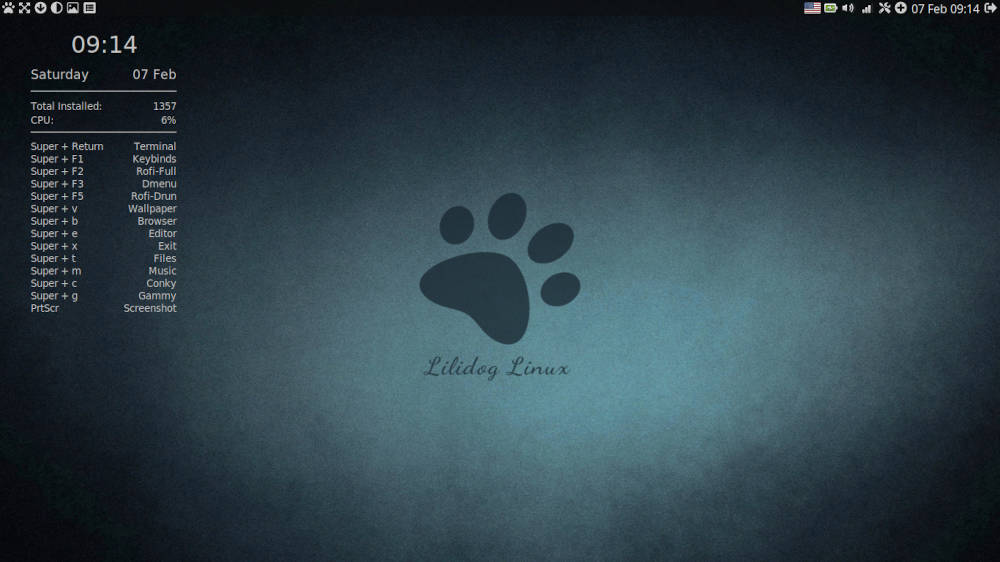
On Friday, Lilidog Linux, a newish distro that’s been around for about six years, released version 26.02.06. The distro is based on Debian 13 “Trixie” stable, and features a customized Openbox window manager. It comes in three basic flavors: Lilidog, which is the default Openbox version; Beardog, which is barebones without the display manager; and Waydog, which is the Wayland version featuring the Labwc and Sway Wayland compositors.
For purposes of this review, we are going with the default Lilidog Linux 64-bit version.
The distro offers both 32- and 64-bit versions, with the minimum system requirements being a 1 GHz processor, 2 GB or more of RAM, an integrated graphics card, and 10 GB of free disk space.
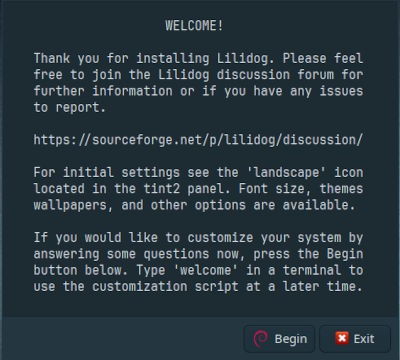
Installing Lilidog Linux
The 2.3 GB ISO downloaded in about 10 minutes and I tried the live version before installing it. Being no stranger to Openbox — I’m a regular BunsenLabs user — I found it strange that there was no option to install it from the live version itself, which meant rebooting the thumb drive to choose the install option there.
The installer is of the old-school Debian variety, and for those who don’t know what I’m talking about, it’s a far cry from the slicker Calamares-based setup used by most distros. That was OK. Since it harkens back to an earlier time when distros had installations which were more text-oriented and, it brought back memories.

Bringing up the new distro and performing the post-install update with sudo apt upgrade and sudo apt update on the command line — I’m showing off, I know — we were ready to go with Lilidog Linux.
Kicking the Tires
Not unusually, first thing I was greeted by a welcome script, which allows for the addition of backports (newer versions of some software) and other useful options. Of course, I’d be a fool not to take the distro up on these additions, so it was “yes” to all. This took several minutes, and once that was out of the way, we were good to go.
One thing about an Openbox-based distro that sets it apart from others is the numerous ways the desktop can be tweaked. Compared to desktop environments such as Gnome or KDE, Openbox ships with a wealth of tools, and because of this, it is a tinkerer’s joy.
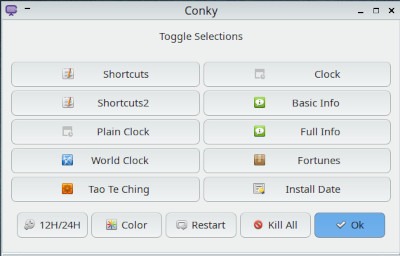
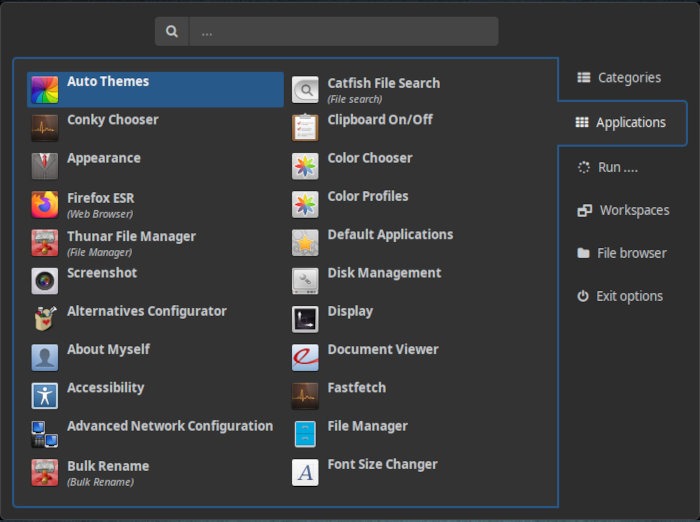
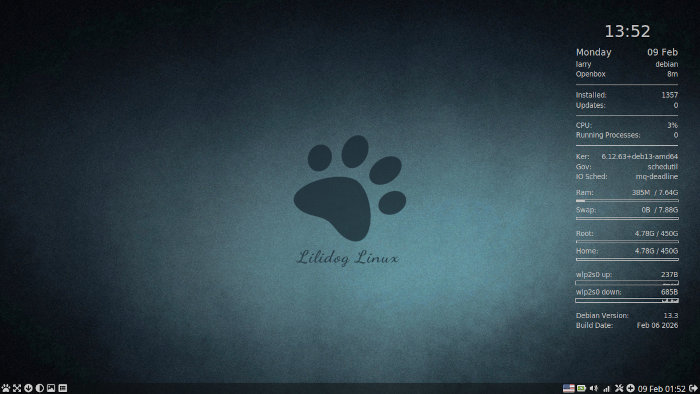
Of special note is the organization of preset Conky versions Lilidog Linux provides in the Conky Chooser. This tool is a welcome addition, as it toggles for 10 different Conky setups containing relevant information. These include a Clock, Full Info, Fortunes, Shortcuts, Worldclock, and even quotes from the Tao Te Ching.
In addition to the plethora of Openbox-related tools for adapting the DE, the distro provides the usual fare of included software in the install. This include system associated apps such as the tint2 desktop panel, the Thunar file manager, and the xfce4-terminal. There’s also standard fare apps, like Firefox ESR, LibreOffice, Catfish File Search, GParted, the Geany text editor, and more. It also includes unique tools like the Fastfetch command line tool, the Newsboat RSS reader, the Pragha music player, and the SM media player.

Missing from the software lineup were a couple of my favorite programs, specifically any sort of email client – bonjour, Thunderbird – as well as the VLC media player, which I immediately added, thanks to the Synaptic package manager.
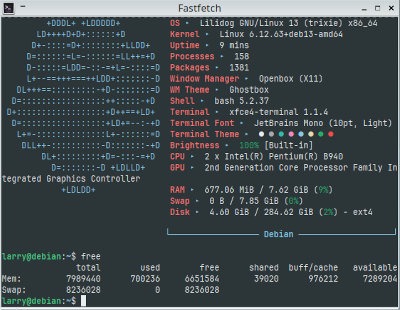
Performance on each of the laptops was nothing short of astounding. Playing music on VLC while visiting social media sites – all the while forgetting I had a terminal open – all rarely made the distro go over 2 GB of memory use, meaning that Lilidog Linux handled the multitasking with flying colors. Even adjusting the desktop to my liking – moving the dock to the bottom and realigning the Conky from the left part of the screen to the right, for starters – was nearly effortless, and a testament to Openbox’s flexibility as a window manager.

Final Thoughts
To say that I am a fan of the Openbox window manager could be an understatement. I use it regularly on my daily distro, which is BunsenLabs, and Lilidog Linux was not much different than that. The Conky alternatives available on this distro are a welcome uptick, even though tweaking Conky manually is a guilty pleasure.
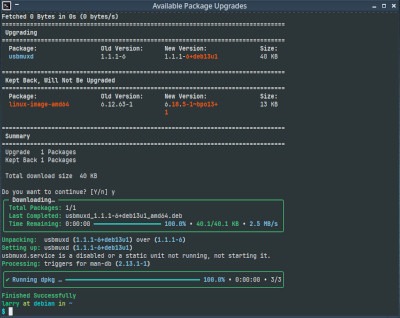
As much as I like Lilidog Linux — and overall it gets high marks for usability and flexibility — there is a word of warning: Unless you’re an adventurous neophyte, I would not recommend this distro for new users, primarily because Openbox takes a bit of getting used to and takes significant patience to learn.
Learning curve aside, Lilidog Linux also has another glaring gotcha: The distro provides the “old school” four workspaces, but monitoring which space is currently being used takes more than a little bit of attention. Not only that, it’s easy to change workspaces unintentionally; so much so that after a frustrating day of “losing” my work, I reduced my workspaces to just one so all of my apps would appear in one place.
In addition, the fact that Lilidog does not have its own website and is serviced by SourceForge for its downloads isn’t exactly a positive. Its wiki is somewhat sparse, and the project’s forum is unreachable, which could just be part of the distro’s growing pains, and users probably lean heavily on the Debian wiki and forums for support.
While the distro may not be a beginners’ cup of tea, Lilidog Linux will probably seem to be a breath of fresh air for intermediate or experienced users. Again, the Openbox window manager is very malleable and can be bent to a user’s will with ease, thanks to the amount of tools available in the distro. Tinkerers should especially like it since there is a lot to do, even though under the hood the Debian heart beats strong.
Lilidog Linux is worth a try. You can download the distro from SourceForge.
Do you have a distro you think would make a great feature for FOSS Force’s Distro of the Week? Don’t be shy—let us know! Offer your suggestions in the comments below (or use the “contact us” link under our masthead) and we’ll make an effort to make it so… No suggestion is too mainstream or too niche—let us know what you’d like to see!
Things I like about Lilidog Linux 26.02.06… |
Things I don’t like about Lilidog Linux 26.02.06… |
|---|---|
|
|
We’re not sure why, but suddenly we want to listen to this…



The reason why Lilidog doesn’t have its own website and forum is because its developer ended the project temporarily last year. He had some health issues and he had no other choice but discontinue the project. But fortunately he returned working with Lilidog again. Sourceforge is the only place for the info of the project at the moment.
I would be willing to donate a VM/VPS for the team if needed.
Feel free to contact me.