
Our reviewer looks at Garuda Linix and finds a rolling-release Arch derivative with eye-catching visuals, a friendly installer, and a smart setup assistant that fixes the distro’s lean default install.
The FOSS Force Distro of the Week — Garuda Linux
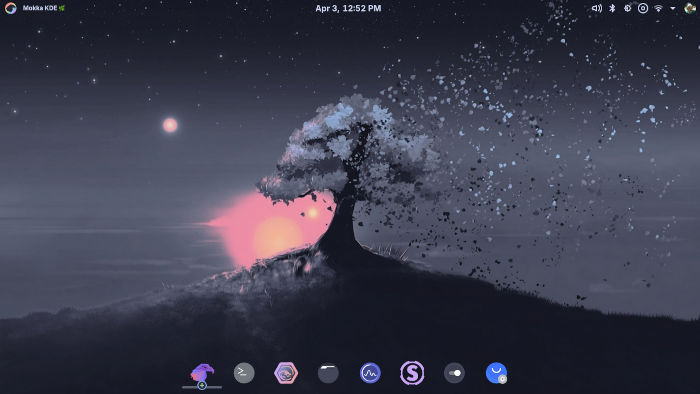
With the top Arch-based distro, Manjaro Linux, in the midst of a serious developer’s strike that threatens the project’s existence, other Arch-based distros are perhaps being put in line for the top spot in the Arch-based Linux category.
One candidate is Garuda Linux, a German Arch-based distro that serves up a visually appealing and high-performance system based on the Linux 6.13 kernel. It uses a rolling release model, which ensures users that they have access to the latest software updates without the need for a major upgrade.
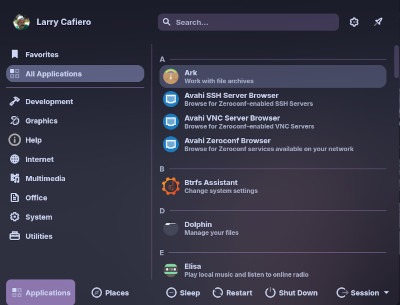
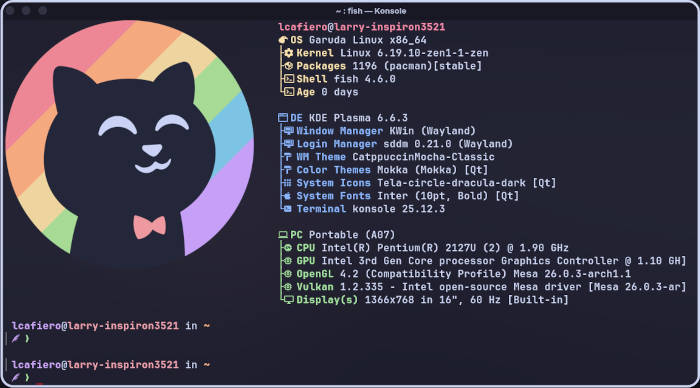
The latest version of Garuda Linux – code named “Broadwing” – comes in a variety of desktop-environment and window-manager flavors. There is the default KDE Plasma version presented on their download page under the Mokka banner, developed with a Catppuccin-themed KDE Plasma desktop, which differs slightly from the Garuda Dr460nized game-oriented version of the KDE Plasma desktop. The distro also offers Gnome, Cinnamon, and Xfce desktop environments, as well as i3 and Sway window managers.
Further down on the install page, Garuda offers “for advanced users only” – and that’s a direct quote from the page – Hyprland, KDE Lite, Nix Subsystem (where you can try out NixOS), and System76’s new Cosmic desktop.
For purposes of this review, we’ve downloaded the Mokka version to give it a spin.

Installing Garuda Mokka
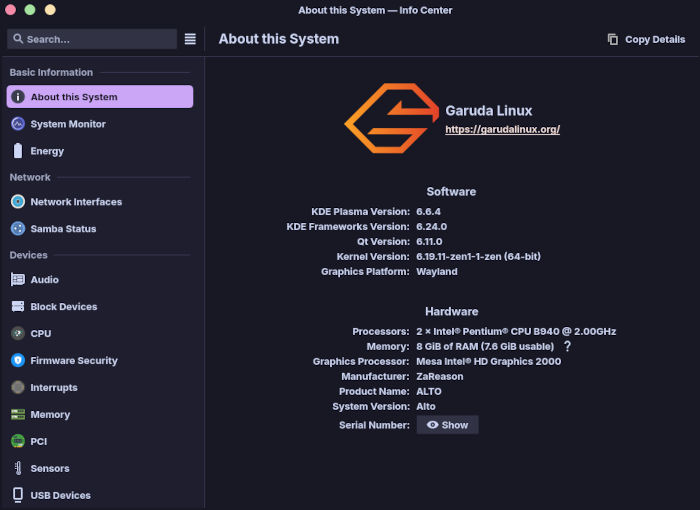
Before you start your installation of Garuda Linux, the distro’s installation page is very clear about the minimum system requirements. Specifically, Garuda is going to need a 64-bit processor with at least 4 GB RAM, at least 30 GB of available storage, and a graphics card that can support at least OpenGL 3.3. However, 8 GB or more RAM and at least 40 GB of storage space is recommended.
Once we installed the average sized 3.2 GB ISO onto a USB drive, we booted the Live USB to find a relatively dark, but easily navigable, desktop and system. Connecting to the WiFi was simple and Garuda’s version of Calamares is quite intuitive, with language selection; time zone configuration, keyboard layout, partition setup, and user/password creation happening before a fairly quick installation.
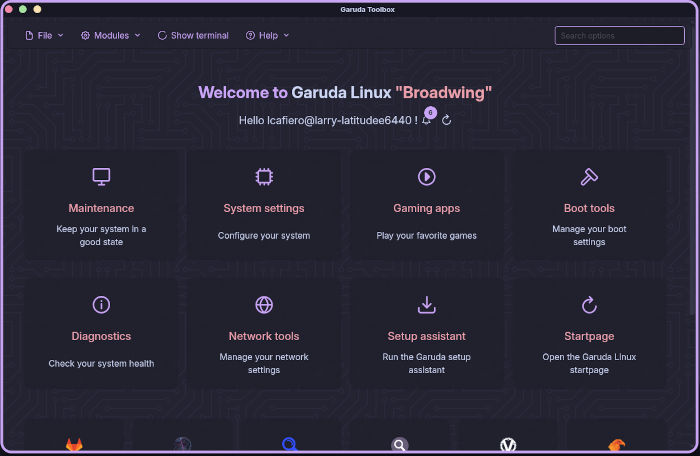
Rebooting into the newly installed distro, I was met with a welcome screen of sorts, namely the Garuda Setup Assistant, which automatically offered the option to update the system. Once the update was completed, the setup assistant asked what software I would like to download, but we’ll get to that in the next section.
Kicking the Tires
The Garuda Setup Assistant offering additional software is a necessity, because little software is installed by default. Despite the many KDE-based tools included, there is no email program – my pet peeve about many distros – and the web browser is a relatively unknown Firedragon, a privacy-focused Floorp fork with Garuda branding.
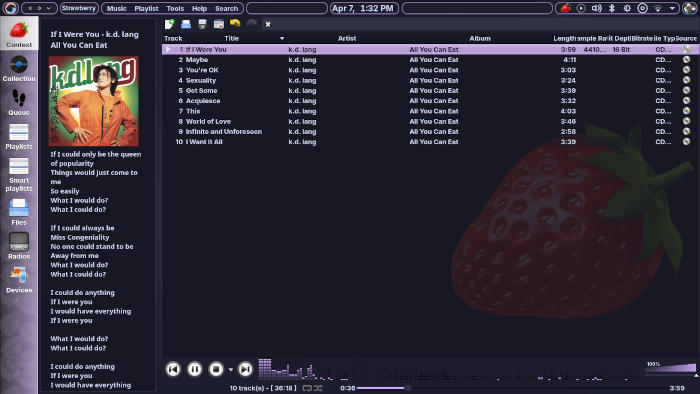
In any case, the setup assistant starts with audio programs the user might want to add – we did, with Strawberry – and next a web browser. We added Firefox for good measure. A wide variety of software was available, including by category communications, development, games, graphics, input methods, Linux kernels, email programs (yay!), office software (hello, LibreOffice) and “other,” which oddly enough included Conky.

So, after clicking several boxes we let Garuda run its course and rebooted. Several minutes later, we were on our way.
True to its Arch base, Garuda handled a variety of tasks easily and efficiently. Multitasking was a breeze, with checking email while surfing the web — as only one example — handled by the distro with the speed for which Arch is known. The only glitch was that, for some reason, the VLC media player didn’t work on all the machines I used to test the distro, meaning it was Strawberry to the rescue. Strawberry did not disappoint, and is rising up my personal charts as a music player going forward.
Garuda Linux also played well with web apps like Google Docs and Google Drive, hardly breaking a proverbial sweat in dealing with both.
Final Thoughts
While having coffee on Tuesday morning, I came across an article on three distros beginners can use once they’ve outgrown Linux Mint. Putting aside the argument that you can “outgrow” a phenomenal distro like Linux Mint, the three distros mentioned in the article were Kubuntu, Fedora and … wait for it … Garuda Linux.
As for the argument that Garuda Linux is good for beginners who may want to try something different, I would completely and wholeheartedly agree. With a number of desktop environments to choose from — and with Arch proverbially under the hood — this distro offers much to a wide variety of users. Its new-user friendliness, coupled with the wide range of options its Toolbox offers to intermediate users and greybeards, makes it an ideal daily-use distro for nearly everyone.
While that may be high praise, unfortunately Garuda Linux isn’t perfect. In its Mokka version, a 3 GB-plus sized ISO should have more software available on the initial installation. While the Setup Assistant is a huge plus in this scenario, it adds an additional step — arguably an unnecessary step — in preparing the user’s Garuda experience. This may not matter to most, but retrospectively it was a bit irksome.
Nevertheless, Garuda Linux remains a strong contender in the current Linux distribution landscape – and perhaps an heir-apparent to the Arch-based distro crown. Its combination of user-friendly installation, performance optimizations, and stunning visuals makes it a compelling choice for anyone looking to explore the power of Arch Linux without Arch’s associated complexities.
Pick up the Garuda Linux’s Mokka version, or any of the other desktop/window manager versions, from the project’s Downloads page.
Do you have a distro you think would make a great feature for FOSS Force’s Distro of the Week? Don’t be shy—let us know! Offer your suggestions in the comments below (or use the “contact us” link under our masthead) and we’ll make an effort to make it so… No suggestion is too mainstream or too niche—let us know what you’d like to see!
Things I like about Garuda Linux… |
Things I don’t like about Garuda Linux… |
|---|---|
|
|
…and now, suddenly we’re in the mood for some k.d. lang…



You forgot another *very relevant* reason for why a user should switch to Garuda Linux: The development team have said an unequivocal “NO” to Age Verification software. As a long-time PC user who values their online privacy and Internet security, this simple fact is important to me. I applaud them for putting their users personal safety first and will make the switch to Garuda Linux.
My computer. My personal information. My property. Hands off, Orwell!