
CuerdOS 2.0 Skycatcher’s Xfce edition leans on Debian Trixie, custom tuning, and some unconventional app choices like Vivaldi and Harmony Music.
The FOSS Force Distro of the Week — CuerdOS 2.0 Skycatcher Xfce
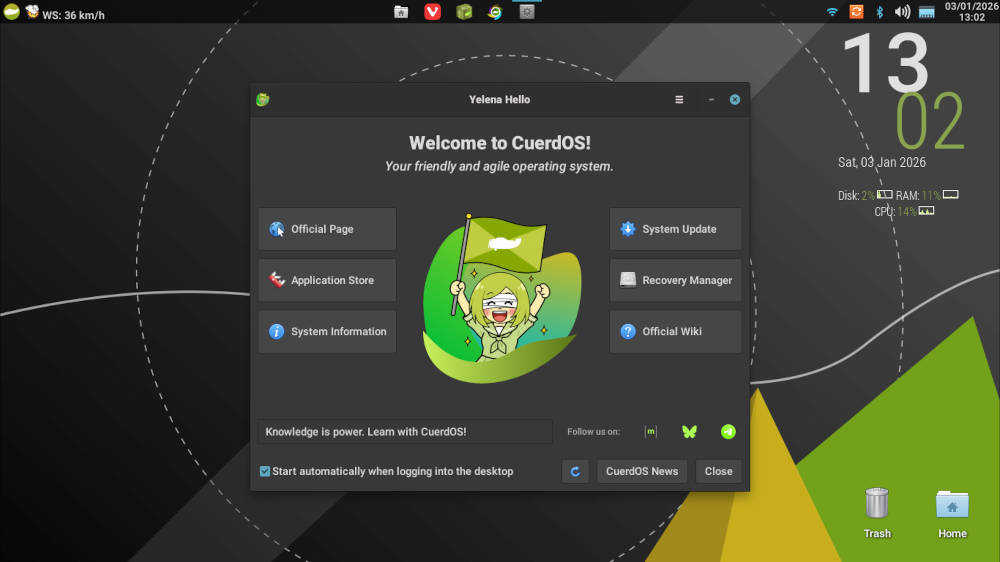
To start Distro of the Week for the new year, we thought we would keep it sensible. And how better to keep things “sane” than to review CuerdOS from Spain’s latest release, CuerdOS 2.0 Skycatcher, which was released last month? “Cuerdo,” by the way, is Spanish for “sane.”
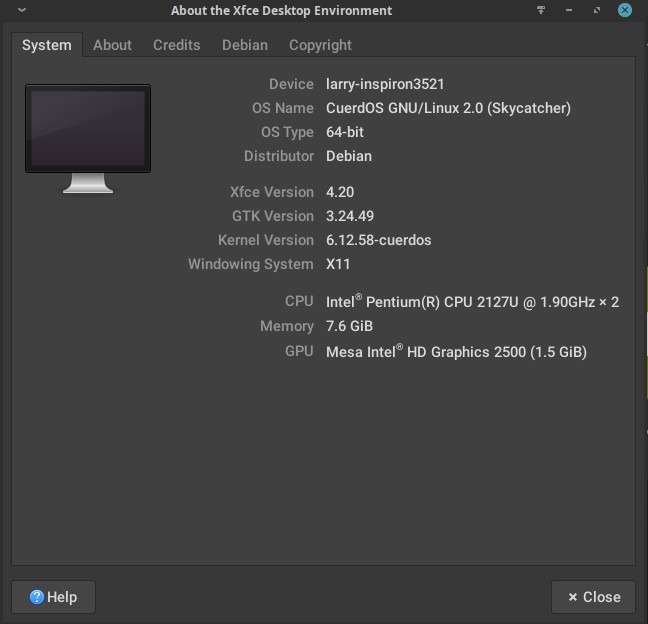
CuerdOS is a relatively new distro on the Linux block, targeting stability, efficiency and visual polish by providing its own performance tuning and service optimization layered on top of its Debian “Trixie” base.
Touted on its website as “optimized to the last pixel,” CuerdOS offers a variety of editions, each featuring a different desktop environments, including Xfce, Cinnamon, LXQt, MATE, Gnome, KDE and Budgie, as well as the Sway window manager. We’ll be assessing Xfce today.
“This distribution is not just a derivative with a customized desktop environment, but includes numerous optimizations and performance improvements such as service tuning, better CPU, GPU, and memory handling, among many others,” the project says on its website.
Well, let’s just see about that.

Downloading and Installing CuerdOS
The Xfce ISO is a fairly standard 2.7 GB in size and it downloaded in roughly six minutes on my system, although others – like Gnome and KDE – may be a little larger. Minimum system requirements for CuerdOS are fairly typical: An x86-64 1 GHz CPU, 1 GB RAM — 2GB recommended — and 8.5 GB available storage.
The distro uses the Calamares installer, and provides a simple interface that guides users through the necessary routine decisions — disk partitioning, timezone selection, and user-account creation — while providing manual disk partitioning for advanced users who are experienced enough to go there.
Once the distro was installed, I ran the customary first-boot update to bring the system up to date. After rebooting – and enjoying the customized Plymouth splash screen CuerdOS provides before logging in – we were ready to take the metaphorical plunge.
Kicking the Tires
CuerdOS welcomes users with the Yelena Hello window, allowing the user access to various aspects of the distro, including system information, official wiki (which is in Spanish), system updates, and others. The desktop is clean and shows its CuerdOS imprint right off the bat. The top panel features a weather widget on the right, with system information below the time and date on the upper right of the screen. In addition, icons for Trash and Home uniquely sit out of the way in the lower right of the screen.
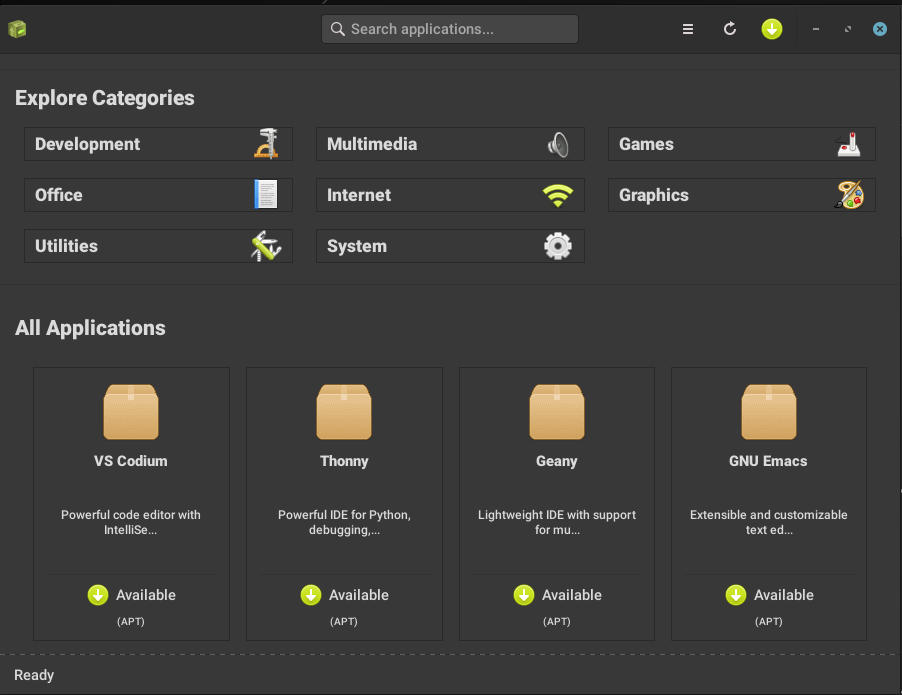
The distro itself provides a decent amount of software in the install – albeit with no email client, which seems to be standard practice across many distros. On top of its in-house set of tools, it includes the OnlyOffice word processing suite, along with such standards as Xfce’s Thunar file manager, Transmission bit-torrent software, among others.

CuerdOS also provides two unexpected and unique software programs.
Bypassing Firefox or Brave, CuerdOS opts for Vivaldi for browsing. This is a curious choice, but once the gentle learning curve was navigated, it was simple to use and worked amazingly. Admittedly, I didn’t use Vivaldi to its full potential, and those who want to explore this browser more might have their hands full, but in a good way.
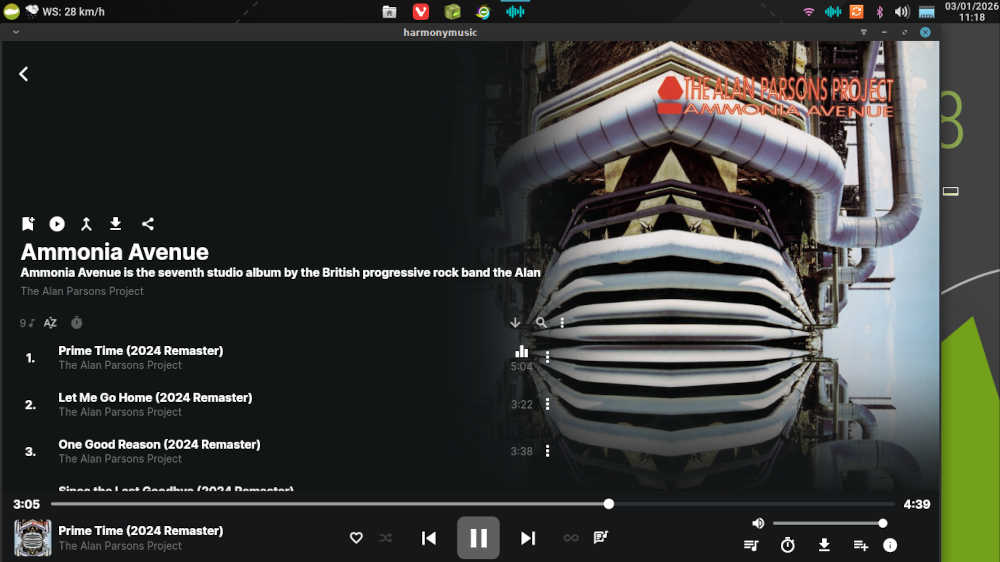
Then there’s Harmony Music. The cross-platform app — it runs on Linux, Android, and Windows — was initially released as a music streaming app, meaning it could find tunes for you and stream them from online sources. Unfortunately, the app’s Github page says “the repository is no longer maintained,” although there was a small bug fix release issued on October 16, 2025, after that announcement.
Its inclusion in this release could mean several things. It could be that it’s still serviceable enough for the distro to include until it’s determined what music app will replace it, or there could be plans to either fork it or modify it for future use. We’ve reached out to the project for clarification, and will offer an update if and when we hear something.
I’m kinda hoping they’re going to keep it. As far as listening to music goes, this program easily rivals VLC, if for no other reason that searches bring up far more music than sits in my moderate CD collection.

However, getting back to setting up the distro…
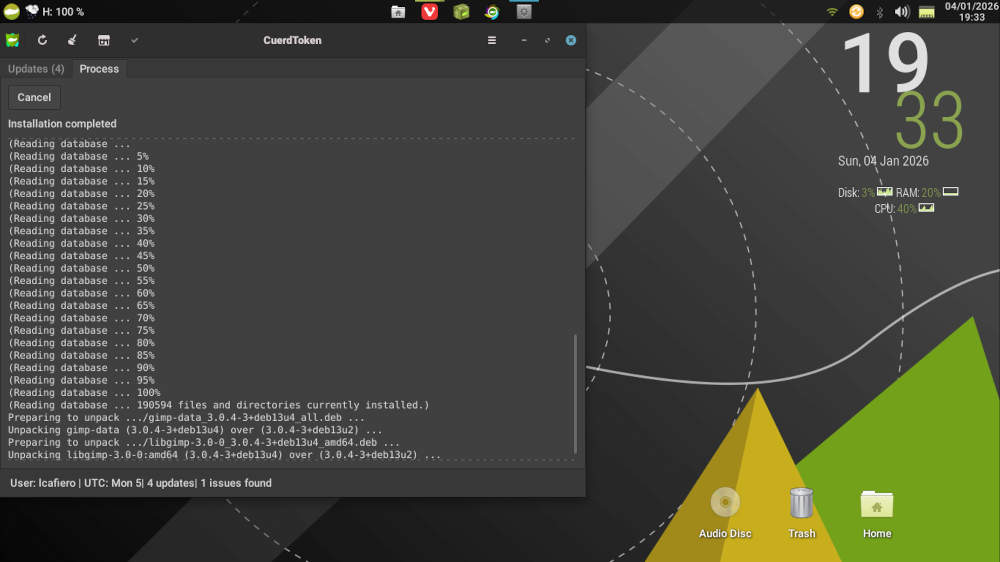
Using CuerdOS’s in-house Yelena Store to install new software, we installed Thunderbird, Gimp, and LibreOffice. Thunderbird and Gimp were simple installs, however LibreOffice — due to its size perhaps — took a little bit of time. Thanks to Harmony Music, we’re forgoing VLC this time around.
Once we got the distro where we wanted it, CuerdOS was very responsive and quick. While playing Harmony Music during my daily routine of email on Thunderbird and social media shenanigans on Vivaldi, RAM usage rarely rose above 600 MB, which puts metaphorical feathers in the developers caps. It also plays nice with the cloud — using Google Docs and Google Drive was simple and straightforward.
Once again, credit should also be given to the CuerdOS developers for providing a distro that, while based on Debian, seems to be quicker than a garden-variety stock distro running Xfce, thanks to the aforementioned performance tuning and desktop optimizations.
Final Thoughts
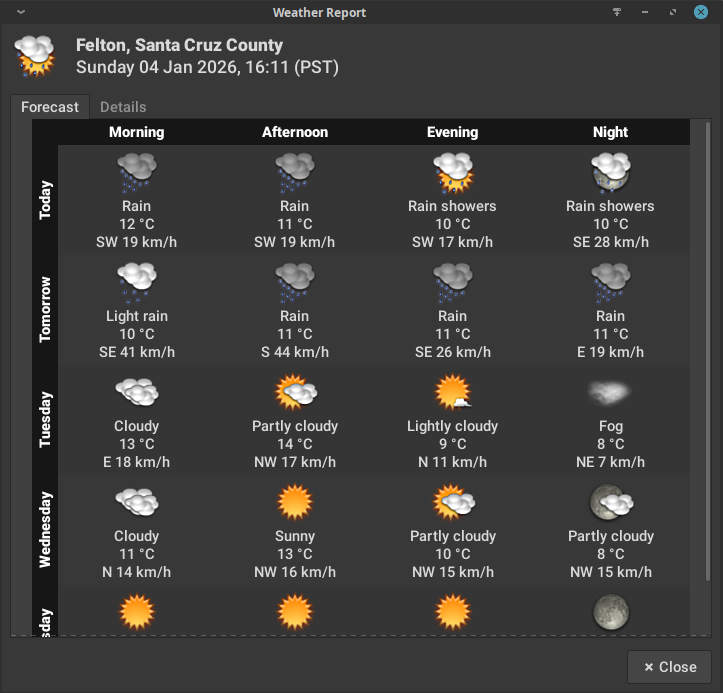
There is a lot to like about CuerdOS 2.0 Skycatcher, from the top panel chock full of icons, to the desktop setup where an informative Conky system manager sits in the top right and the desktop icons are set out of the way in the lower right. The weather widget included in the panel is also a very nice touch. But that’s not all. The agility and responsiveness of the distro provides it with high marks as well.
The fact that CuerdOS has included Vivaldi as its go-to web browser shows a high degree of courage, although personally it would not be my first choice. Also, by including Harmony Music, the project shows that it’s not afraid of including quality software. Tools like CuerdToken and Yelena Store provide users a welcome experience updating and installing software.
However, a couple of caveats exist for new users: There are no significant “beginner friendly” features, which is not helped by the fact that the community is smaller than most Linux distros. Also, the Spanish language wiki which could be a hurdle for some. But for those who have been around the Linux block a few times, CuerdOS provides much. Intermediate-and-higher users will find this distro more than adequate for their daily needs.
To download CuerdOS, go to its download page and scroll down to the desktop of your choice.
Do you have a distro you think would make a great feature for FOSS Force’s Distro of the Week? Don’t be shy—let us know! Offer your suggestions in the comments below (or use the “contact us” link under our masthead) and we’ll make an effort to make it so… No suggestion is too mainstream or too niche—let us know what you’d like to see!
Things I like about CuerdOS… |
Things I don’t like about CuerdOS… |
|---|---|
|
|
And now for some reason, we feel like listening to the Alan Parsons Project…




Nice desktop clock add-on.
Would it be possible to replicate that clock in MATE Desktop?”