
elementary OS 8.1 is a point release that brings a default Secure Session, better tools for managing background apps and workspaces, and a more informative AppCenter experience.
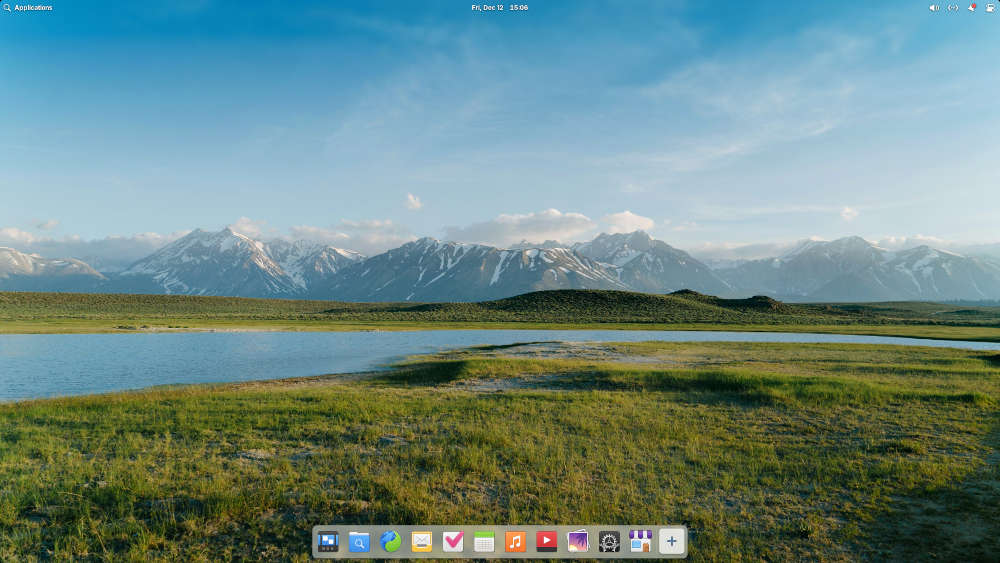
More than a year in the making, there’s a new elementary OS in town. On Monday afternoon Eastern Time, the folks behind the Linux distribution pushed elementary OS 8.1, a minor point release with plenty of major point wallop, through the door. As with most new releases lately, its main change focuses on Wayland, since Wayland-based Secure Session is now the default.
The good news here for users who don’t like Wayland — or who run apps that still don’t work and play well with Wayland — you’ll still be able to fall back to a Classic Session using X11 if wanted or needed. The glitch that previously prevented apps from starting when switching between Classic and Secure sessions has been resolved.
“As of now we’ve heard that the Secure Session provides a much better experience for most people and supports a broader range of modern hardware features,” Danielle Foré, elementary OS’s founder and CEO said in the release announcement on the distro’s website.
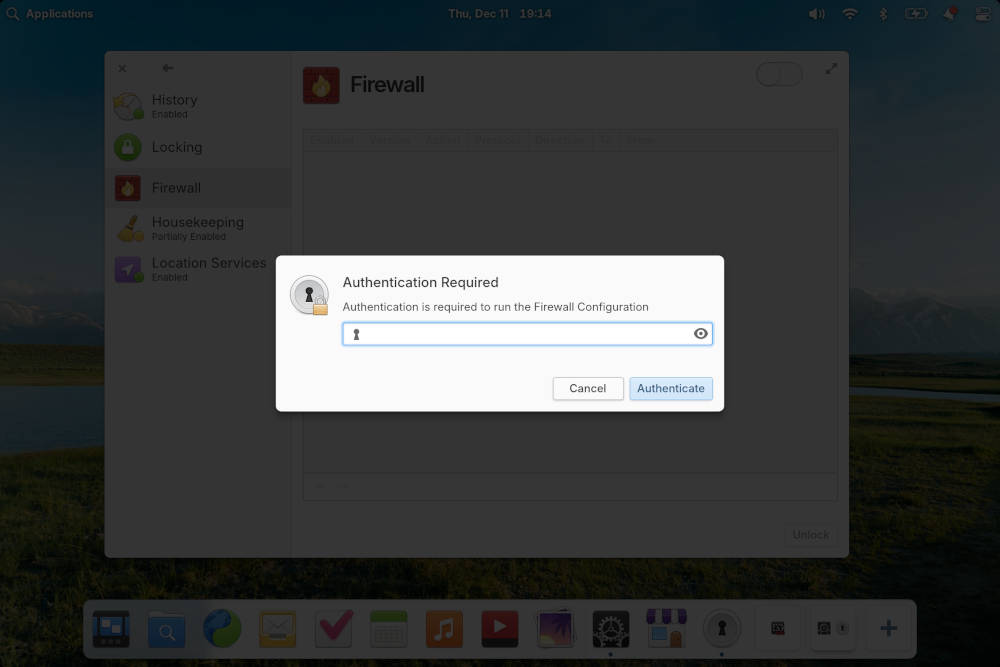
“You’ll also notice that password authentication dialogs have a new feature in a Secure Session: when opened, the rest of the screen will dim and other windows won’t be allowed to steal focus,” she added. “This prevents accidentally typing your password anywhere other than the authentication dialog and you’ll be able to make sure these are legitimate system dialogs and not an application trying to read your password.”
Besides Wayland, What’s New Under the Hood
Foré told FOSS Force in an email exchange a week ahead of this release that since the release of elementary 8, in addition to “following through on OS 8 Release Goals,” developers have been focusing on improving devices support and addressing feedback — with over 1,100 issue reports fixed.
The dev team has also been listening to requests and complaints from users. For example, in elementary OS 8 the distro swapped Plank, the dock the distro had been using for ages, for a new dock that was missing Plank features that users said they’d like returned.

“We made sure to show multiple running dots for apps with multiple open windows, and made sure to adjust the color of running dots depending on if they were running in this workspace or another one,” Foré explained. “You can once again cycle through open app windows when you hold a drag-n-drop over its app icon. And we’ve added Pressure Reveal, which makes it easier to select app controls at the bottom of the screen without accidentally revealing the Dock.”

Background Portal
In addition, there’s now support for Background Portal.
“Here you can see a list of apps running in the background without a window, their supplied reason for running the background, and you have the ability to force them to quit. You can always further manage app permissions in System Settings>Applications and choose which apps are allowed to run in the background.”
Users also didn’t like that they could no longer use Multitasking View for putting applications in the foreground or background, which has prompted elementary OS to put its workspace switcher directly on the dock.

“You can press the ‘+’ tile to open new workspaces or select an existing workspace to switch to it,” Foré said. “You can also drag-n-drop to rearrange workspaces and — my favorite new feature — clicking on a workspace that’s already open will show the Multitasking View, making it super easy to jump directly to the app you’re looking for with only the mouse.”
She added that apps can now be launched from the dock directly into Multitasking View, meaning that, “whether you want to manage apps that run without a window, or focus-in by moving apps to another workspace, you can do so directly from the Dock at any time.”

Other Changes
AppCenter, which previously required extra steps to make full use of Flathub, has been further expanded to show more details when you’re browsing for apps — including screenshots of how they look running on elementary OS.
In addition, Foré mentions an increased focus on being inclusive.
“These days we’ve adopted a philosophy called Inclusive Design,” she said. “This holistic design philosophy includes not just things like designing for permanent physical disability, but also considers barriers to inclusion with things like access to the internet, localization, cognitive ability, situational and temporary disability, and more. As a community that includes folks with a range of abilities and access challenges ourselves, we believe that we succeed when we build open computing experiences that seek to be more inclusive and fail when accessibility is considered an afterthought.”

Test Driving Elementary

If you want to take elementary 8.1 for a test drive, doing so is as easy as going to the distro’s downloads page. Be forewarned, however, that unless they change how downloading works for this release you’re going to face a bit of panhandling in the process, which I think keeps some potential users from even giving the distro a try.
The distro is offered on a pay-what-you-can basis. There’s nothing wrong with that, of course. Bills need to be paid and beans need to be put on the table — and AppCenter even collects donations to go to app developers — but there’s a problem with the distro’s approach. Users are instructed to “pay what you can” before they can download the ISO, with buttons for $10, $20, $30, and Custom. Clicking on the latter brings up a text box with the instruction to “enter any dollar amount.” What isn’t clear is that you can enter “0” and download elementary OS for free.


Christine Hall has been a journalist since 1971. In 2001, she began writing a weekly consumer computer column and started covering Linux and FOSS in 2002 after making the switch to GNU/Linux. Follow her on Twitter: @BrideOfLinux


