
Origami Linux pairs the Cosmic desktop with a Fedora Atomic base and a deliberately sparse default install, leaving most of the customization to you.
The FOSS Force Distro of the Week — Origami Linux
It’s paper folding time at Distro of the Week. Well, sort of… Actually, we’re looking at Origami Linux, an immutable Linux distro based on Fedora Atomic which features System76’s Cosmic desktop environment. It’s part of a new breed of Linux distro that’s becoming prevalent in the Linux universe and deserves a closer look.
Immutably Atomic
Immutable refers to a Linux distro whose essential system files and directories are locked as read-only. This makes them super secure, protected from both intruders and accidental changes from users. In other words, you can’t easily modify the distro, including the file system, directories, applications, and even configurations.
The advantages to immutable systems are enhanced security, simpler maintenance (although, to be fair, every new software addition requires a reboot), and improved reliability. Also, the atomic updates in this Fedora-based distro are done throughout the entire distro itself. In other words, the entire OS is treated as a single indivisible unit. If there is any kind of failure during the update, the system rolls back to the previous state.
An atomic system, on the other hand, is one where updates are an all-or-nothing proposition: either you fully move to the new state or cleanly stay on the old one. A system can be atomic but not immutable, and immutable but not strongly atomic. Origami Linux is both, as it inherits OSTree’s atomic upgrade mechanism.
Meanwhile, Back at Origami Linux …
Origami Linux was conceived in 2021 by John Holt, a developer with a vision to create a Linux distribution that would blend the beauty of Cosmic Desktop with the security and reliability of Fedora Atomic. The name “Origami” was chosen to represent the idea that, just like a single sheet of paper can be transformed into infinite forms through folding, Origami Linux could be shaped by users to suit personal workflows.

Users are given a choice of three ISOs to download: Standard, CachyOS, and Nvidia, with the latter two swapping in an Arch‑based userspace and the linux‑cachyos kernel for measurable performance gains on newer CPUs. Among other things, the Nvidia ISO is also preconfigured for NVIDIA systems, reducing the need to hand‑tune NVIDIA on first boot.
For this review I opted for the Standard ISO, which weighed in at an average 4.3 GB. After transferring it to a thumb drive, it was nice to see my old friend, the Anaconda installer – a Fedora mainstay – do its thing. Origami didn’t even bother to change the Fedora branding on it.
Kicking the Tires
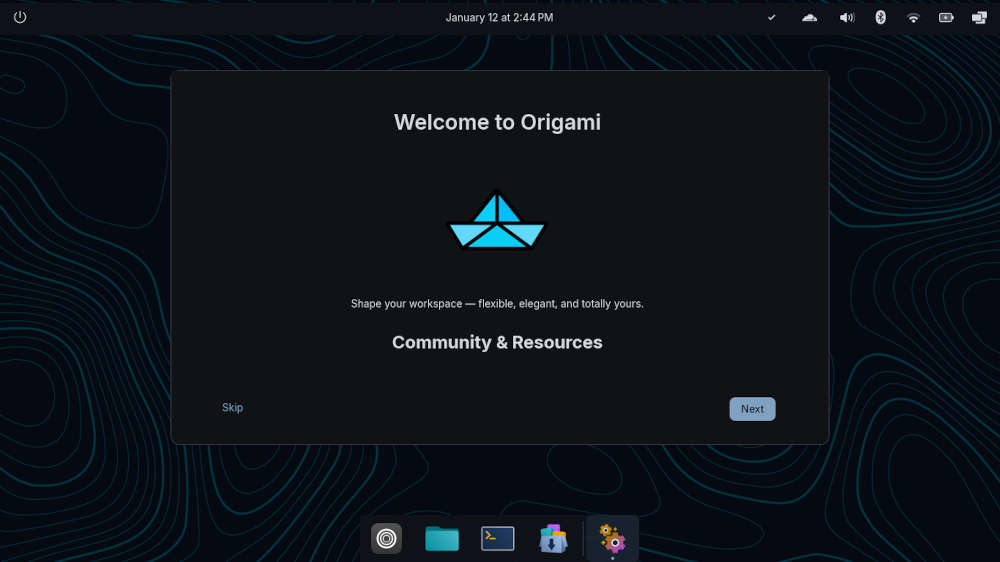
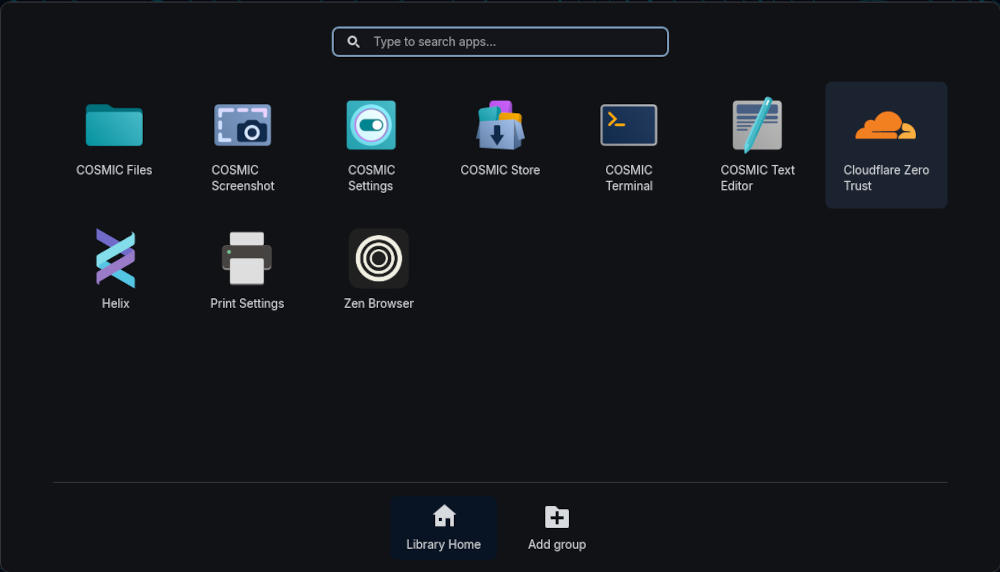
On a first look at Origami, users have the Cosmic desktop environment greeting them, along with a Welcome window taking them through the distro’s basics, focusing on some of the nuances of its immutable nature. Once that’s out of the way, users might notice the complete lack of software included in the install. It comes with Cosmic’s toolset and the Zen web browser installed, but that’s essentially it.
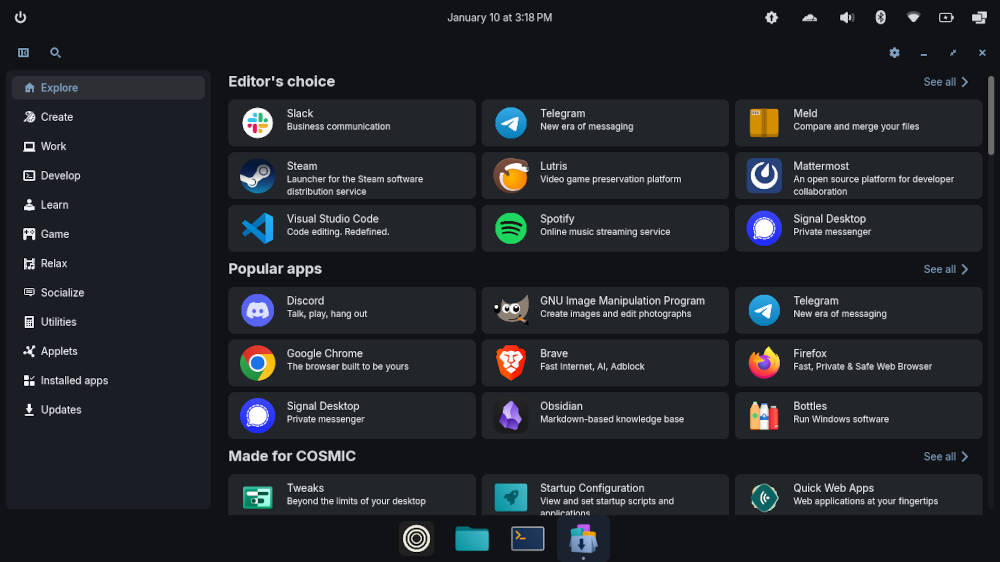
In Origami’s defense, the lack of software is by design, since the philosophy behind the distro itself is for users to take their own initiative and design their own personal workflows. Hence, the Cosmic Store gets a phenomenal workout from the start, installing some basic software onto the distro.
Thunderbird email client? Check. VLC media player? Yes, please. LibreOffice? Absolutely. Throw in the Gimp graphics editor and it looks like we’re good to go. To its credit, the Cosmic Store provides a wealth of software and adding it to Origami with the Flatpak-based software is a breeze.

Origami Linux integrates Cloudflare WARP, a client that routes internet traffic through Cloudflare’s network over an encrypted tunnel to improve privacy and often performance. I found that navigating the Cosmic desktop environment entails a slight learning curve for presumably simple things. Example: finding and placing the Applications widget in the lower dock is a labyrinthine process of Settings > Desktop > Dock > Configuration > Applets. That may be the Cosmic way of doing things, but it seems a bit much.
Nevertheless, the distro itself performed without a hitch. The software performed meticulously, despite having to reboot every time I added software or performed an update – which I did twice during the week. Even under multitasking conditions, the apps achieved their goals without exception, and the interactions with cloud-based apps, like Google Docs or Google Drive, were flawless.
Final Thoughts
To be honest, I am still on the proverbial fence regarding immutable Linux distros. I understand the security issues and how they might play regarding servers, and you only have to go as far as your Android phone to see an immutable Linux-based system in action. However, for individuals working on laptops and desktops, immutable Linux is a two-edged sword which primarily sacrifices the freedom of tweaking one’s system on the altar of some real-or-imagined security issues.
That may be the experienced Linux user in me talking. For new users migrating from Windows 10, this may not be an issue at all, as long as the distro just works, and overall, this distro just works in spite of some of the quirky nuances of the Cosmic desktop environment (to be fair, System76 is still hammering out some — and hopefully, eventually all — of Cosmic’s idiosyncrasies). Until then, Linux beginners should avoid this distro for the time being.
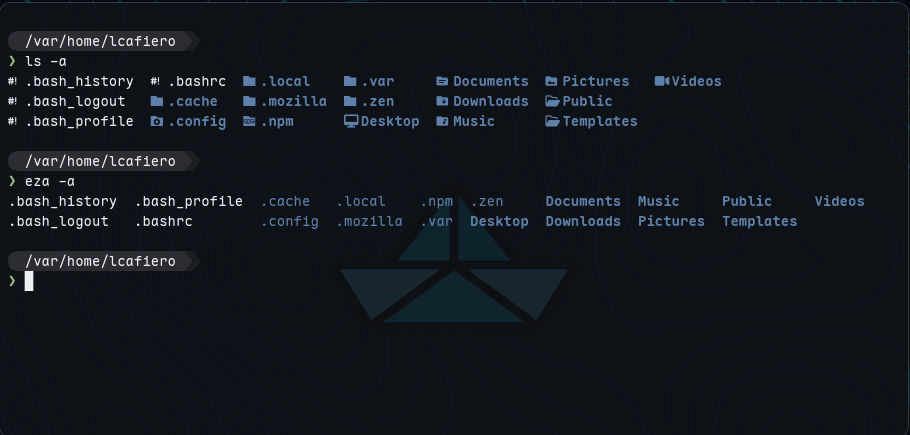
A different caveat exists for more experienced users: Greybeards will primarily have to learn a new set of terminal commands to make things work. This is not good news for those with muscle memory in the terminal department. Goodbye ls and hello eza for starters, according to the Origami Linux wiki. To say nothing of adding software old-school style with rpm – try rpm-ostree from here on in.

However, despite its rough edges, whether you are a developer, a security-conscious user, or someone looking for a beautiful desktop environment, Origami Linux provides the tools, flexibility, and design needed for a quality Linux experience.
See for yourself by downloading Origami Linux.
Do you have a distro you think would make a great feature for FOSS Force’s Distro of the Week? Don’t be shy—let us know! Offer your suggestions in the comments below (or use the “contact us” link under our masthead) and we’ll make an effort to make it so… No suggestion is too mainstream or too niche—let us know what you’d like to see!
Things I like about Origami Linux… |
Things I don’t like about Origami Linux… |
|---|---|
|
|
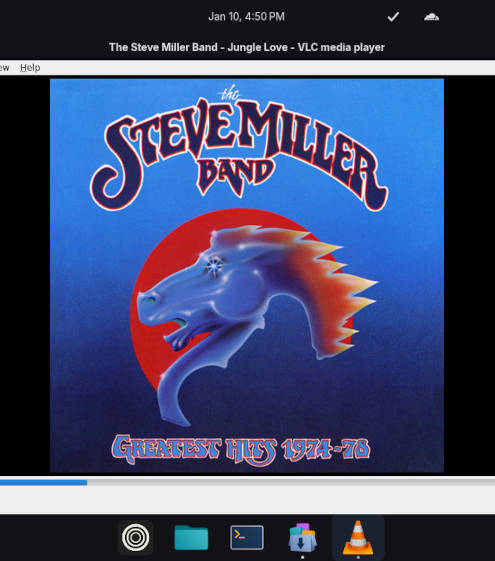
And suddenly we’re in the mood for some Steve Miller, sixties style, with Steve and Paul McCartney playing all the instruments…

Guess I still don’t understand when I see the argument such as “However, for individuals working on laptops and desktops, immutable Linux is a two-edged sword which primarily sacrifices the freedom of tweaking one’s system on the altar of some real-or-imagined security issues.”
What freedom of tweaking, exactly am I sacrificing?
Running Silverblue, I add a few extensions, add my fav icon set, layer Opensnitch, all easy-peasy. It’s utterly gorgeous, elegantly minimal, snappy, & rock solid to use. Honestly I cannot even think up things I would want to tweak any different.
The immutable factor is an added bonus for me, calling it some sort of ‘altar’ sounds a tad over dramatic begins to thump up against the dreaded “back in my days…” tone
It’s a genuine question. What are the things longer term users are tweaking that is limited?
It’s John the creator of Origami. Thanks for the review. We take everything into consideration to improve the distro. We utilize distrobox for the traditional workflows 🙂
AFAIK, from the user’s point of view, the primary benefit of immutability/atomicity on Linux desktop is easy rollbacks. No longer do you have to hunt for singular package that broke your system: you can just rollback the whole system to the previous version. On traditional distro this is not the case, is it?
From QA point of view it reduces system’s complexity since there’s no longer situation where users might update some packages but not others, and there are no PPAs and such.
With that said, I’m newbie to atomic immutable distros.
“…you can just rollback the whole system to the previous version. On traditional distro this is not the case, is it?”
With Timeshift it is. Or with my own snapshot manager.
Well, another comment is coming defending immutable distros…
But beforehand, let’s make it clear: there are multiple implementations, are you are generalising tooich based on one! My least liked are the bootc based ones, let’s not make statements about immutable dekstops based on them, even though Origami is one of those SPECIFIC type.
I use OpenSUSE MicroOS, which is immutable, but don’t use bootc, rather btrfs snapshot behind the scenes. Reboot is not more necessary than classic distros (kernel always needs one, etc) after install, just issue a `transactional-update apply`, and it will swap the running system to the new snapshot!
There is the single transactional-update yes, with it’s subcommands, but you can use the shell subcommand, and issue classic zypper stuff inside. Not much to learn if you were a SUSE user before. And the whole “have to learn new commands” is quite moot anyways, graybeards should be able to (who can if they can’t), newcomers have to learn something anyways, and how are we imagining progress without some change anyways.
I faintly remember there is some workaround for silverblue to skip reboot, maybe I am not correct, and AerynOS is not strictly immutable (it’s immutableness is more of a half-finished side effect), but don’t have to reboot as well.
Be more precise as a tech journalist please.
If I’m “having to reboot every time I added software, ” then I’m doing something terribly wrong. Nearly everything that you need to do on a variant of Fedora Atomic can be done with Flatpak application packages. You just have to look a little harder. Flatpaks are inherently sandboxed, don’t need to be layered when installing, and don’t need a reboot to begin using.
To address a very specific incorrect detail on the article, to pin any app in the lower dock a simple right button click on the app will do.
I have been experimenting the installation various immutable and some atomic distros and this was easy to install and is working well so far; allowing to install from flatpak all the apps I normally use and I did not need to reboot. It recognized and installed my Epson printer, which is not the case with all distros. It boots to desktop in about 45 seconds in my 14 yr old i5 with 8gig ram lap top which I use to test distros. I think I am beginning to like the Cosmic DE, at least better than Gnome.
I don´t know about the roll back and how it would work, but from experience Timeshift does not work all of the time.
You don’t have to reboot! In some cases, just log out and log back in.
I have several machines running Bluefin and Bazzite for well over a year. I’ll never go back to a “standard” mutable Linux distro. The future is clearly immutable OSs. I had my share of discussions (won’t go back there) on Solus forum, where some old farts insist on the “old” design, which is really obsolete by design, but they insist that’s what they want. No rollbacks, no immutability. So sad for the way some people think.
The future is immutable systems, whether it be A/B system, btrfs system, etc. to accomplish the immutability method. Thanks for the review. BTW, I’m currently running Origami on a old Chromebook (with custom bios) 4GB RAM and a 32GB SD card, and it runs flawless. Blew away Aeon, Bluefin and CachyOS on this machine.