
Think of Bodhi Linux 7.0 as a digital walk for peace: a lightweight Moksha desktop, a small install footprint, and just enough polish to keep your aging hardware serene.
The FOSS Force Distro of the Week — Bodhi Linux 7.0
To be fair this week’s Distro of the Week, Bodhi 7.0.0, is more than merely a run-of-the-mill Linux distro. It’s possibly a life statement, for those who wish to accept it.
You don’t have to take my word for it. You can just look at the project’s website:
“Bodhi Linux is an operating system designed for those who value inner clarity and personal empowerment. Installing Bodhi isn’t just about setting up an OS — it’s a commitment to a mindful approach that seamlessly integrates technology into a purposeful life. By choosing Bodhi, you become part of a community that values individuality, innovation, and a refusal to settle for the status quo. It’s more than just software — it’s a statement.”
A strong statement, I would say.
Based on the Ubuntu LTS, Bodhi Linux 7.0.0 features the Moksha desktop environment, which is a minimalistic and lightweight approach to desktop design that’s suitable for users who prefer a streamlined interface without unnecessary bloat.
Installing Bodhi 7.0.0
Because Bodhi is designed in part for older hardware, system requirements are fairly low. The 32-bit version requires a 500 MHz processor, 512 MB RAM, and 5 GB of available storage. According to Bodhi’s website, although the distro’s installer will run slowly on machines with only 512 MB RAM, post installation, the distro will run reasonably well. For our review, we’ll be running 64-bit equipment, which requires a 1 GHz processor, 768 MB RAM, and 10 GB storage.

Bodhi Linux offers five different editions of its distro with four of the ISOs weighing in at 1.3 GB each. Standard comes with the standard base of software that users can build upon after installation. The Debian Edition, which currently is in beta, offers the same. The Hardware Enablement Edition and the S76 Editions provide the latest cutting-edge kernel.
The fifth version — and the one I went with at 2.3 GB for the ISO — is the AppPack Edition, which is the same as the Standard Edition but packs a wider variety of apps.
Once the ISO was on a USB drive, I booted Bodhi Linux, which offered a variety of options that included trying out the live version or installing the distro on the hard drive. When running live, before the Moksha desktop came up it asked for the language we’d prefer, which I thought was nice.
The installation process is fairly straightforward, with the only curveball being choosing a wifi network when you’ve already logged into one. The installer asks whether I’d like to install third-party software for graphics and WiFi (yes!) before formatting the disk. Once those tasks were completed, the installation process began, with adding login/password information coming later.
Kicking the Tires
Once installed and updated, it was go-time.

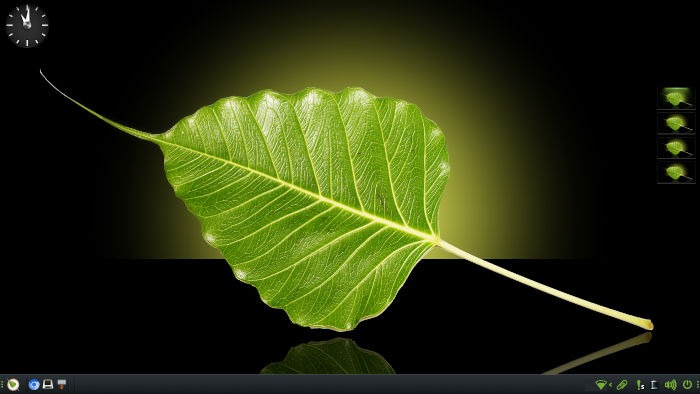
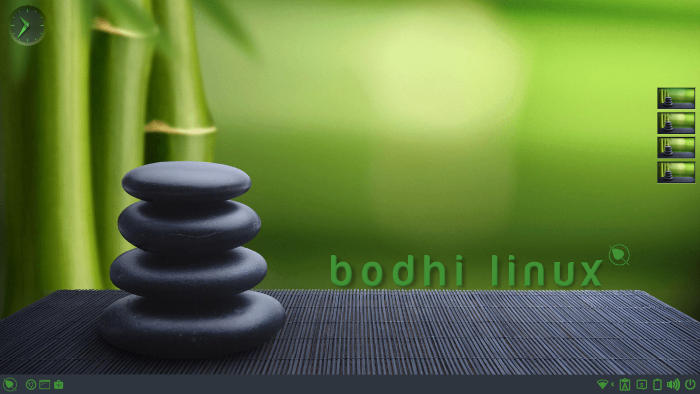
The Moksha desktop environment is very clean and easy to navigate, with a numberless clock sitting in the upper left corner of the desktop while four workspaces sit ready and waiting, arranged horizontally on the middle right of the screen. A bottom panel holds the main menu on the left, with icons to launch Chromium, Terminology, and Thunar next to it. On the right are a variety of icons, like WiFi, Clipboard, Notification, Volume, and the power switch.
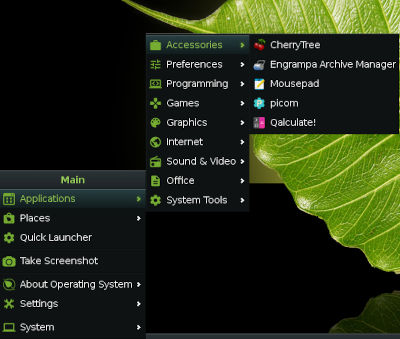
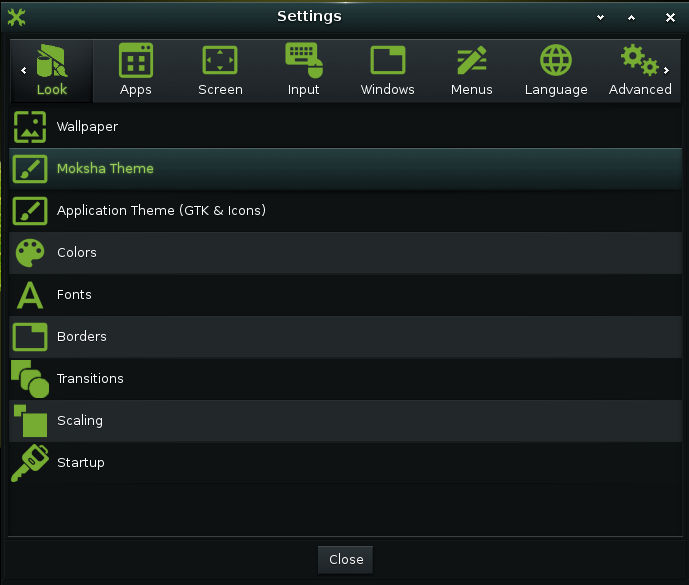
One of the more interesting aspects of Moksha is that you can right-click anywhere on the screen and the main menu appears, a nice feature that’s not available in most DEs. Add to this the availability of a variety of desktop themes and you have a solid desktop environment.
The AppPack Edition comes with a wide variety of software that includes LibreOffice, GIMP, the aforementioned Chromium, along with Pidgin for instant messaging, the Geany text editor, the Audacious audio player, and the Synaptic package manager. Also included is a wide variety of tools — like Orage calendar — and a few games, like Aisle Riot Solitaire.
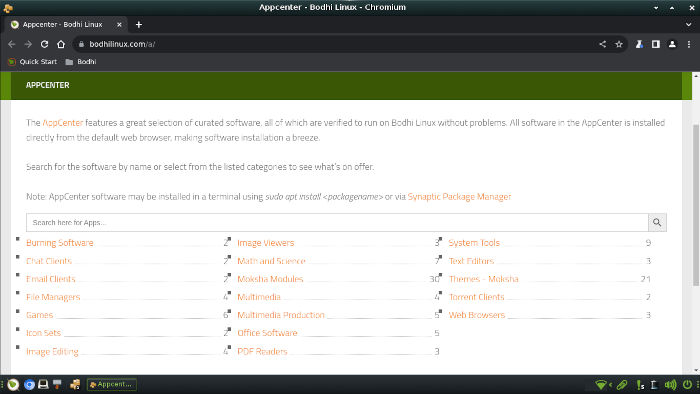
Interestingly, the Sylpheed e-mail client was installed by default. To be honest, I was hesitant to use it at first, but eventually found it to be an adequate e-mail program in its own right. That left downloading VLC with the web-based Bodhi AppCenter — which was a breeze to use — and I was all up to date.
Multitasking with Bodhi Linux 7.0.0 was effortless and as much as I threw at the distro, it rarely peaked at over 1.3 GB of memory use. This low memory footprint isn’t a coincidence. Bodhi Linux limits the number of installed background services and pre-loaded apps. While this may not be a big deal for newer hardware with a lot of memory, older machines with limited memory might welcome this.
In addition, the distro played well with web apps, such as Google Docs and Google Drive.
Final Thoughts
The Moksha desktop environment, even with its minor learning curve, is a refreshing change from the KDE Plasma/Gnome hierarchy of desktop environments that dominate Linux distros. The more you use it, the more Moksha grows on you. The already mentioned variety of themes, which Moksha lets users modify to their liking, combined with the wide range of hardware that Bodhi makes available, provides the formula for a very successful Linux distribution.
This is especially true when you also consider that it’s lightweight and optimized for speed and efficiency, with quick boot times and low memory requirements — and that’s just for starters.
Is Bodhi suitable for beginners? It’s a coin toss. The desktop is definitely further from Windows than KDE Plasma, Gnome, or Xfce. That being said, I think Bodhi Linux with Moksha would more than likely be fine for beginners.
Here’s why: Once the user starts dealing with the desktop environment and its unique idiosyncrasies on a regular basis, a quick and successful conversion should follow. Moksha doesn’t hold your hand, but rather gives you the freedom to explore, which is great — especially if you’re on the tinkering side of using your computer. And even if users run into trouble, Bodhi has significant community support through active forums and documentation.

As for the rest of us – the intermediate and experienced users – Bodhi Linux checks all the boxes when it comes to utility and necessity in a distro. Given my druthers, though, more system tools in the System menu would have been nice. But that’s where Synaptic comes in.
Bodhi Linux 7.0.0 is clearly worth a look. Go to the download page and grab a Bodhi Linux ISO and see for yourself.
Do you have a distro you think would make a great feature for FOSS Force’s Distro of the Week? Don’t be shy—let us know! Offer your suggestions in the comments below (or use the “contact us” link under our masthead) and we’ll make an effort to make it so… No suggestion is too mainstream or too niche—let us know what you’d like to see!
Things I like about Bodhi 7.0.0… |
Things I don’t like about Bodhi 7.0.0… |
|---|---|
|
|
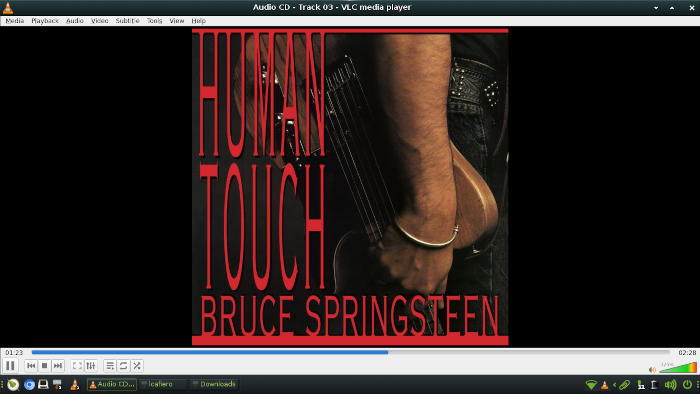
Suddenly we’re in the mood to listen to some Bruce — but unlike when we were testing, this time with the E Street Band…


Now, this 32-bit “Legacy” ISO, is that still based on Ubuntu? I was under the impression that Ubuntu long ago (2018.04) abandoned 32-bit…
The legacy ISO is based on Debian 12 at present.
One variance I have with the article is that you get the menu by LEFT-clicking your mouse — a right-click will bring up the Favorites menu, and only if you’ve designated any apps as Favorites. I do wish the article had spent a bit of time talking about how, with all this “lightness”, Moksha Desktop is quite beautiful and full-featured, and that the themes available REALLY CHANGE the look of the desktop. Stefan has worked very hard getting all those themes and updating Moksha.
I’m sort of a member of the Bodhi team. Besides the Bodhi forum, we have a less active forum as part of LinuxQuestions.org and a very active Discord (including most of the team) for more support.
Ubuntu 22.04 lts (which is bodhi based on), its the oldest active distro right know (even more than slackware and mageia); the packages are pretty old, the forum its almost inactive.
This distro should put in the dormant category in the distrowatch. Since the odds to get inactive are very high, I should recommend to no one use it….
The download page makes it clear that the 32 bit release is an even older (two major versions previous to 7) version, in other words, definitely ancient (5.1.0 is dated March 2020) relative to today (March 2026).
QUOTE
The 32-bit Release is currently a Bodhi Linux 5.1.0 Release.
UNQUOTE
I agree too that the distro should be marked as dormant. They basically skipped Ubuntu Noble and the next release will hopefully — by now — be based on Ubuntu 26.04.
That said, I’ve been following their website, forum, Discord server and the various GitHub repos for a while. The guys are pretty responsive and the work is being carried forward by one main dev plus a few translators who are putting in a huge effort to offer support and contribute across the board.
I’m 71 and I’ve enjoyed Linux for 25+ years. I used to distrohop like a bunny looking for snacks. Not so much anymore. I thought Bodhi was buried uears ago. Elementary too. Both admirable to look at. But not to really use. Never. Sorry.