
From ricing to hyprctl, this window manager rewards tinkerers with a sleek, efficient desktop while reminding casual users that convenience isn’t always part of the deal.
The FOSS Force Linux App of the Week — Hyprland
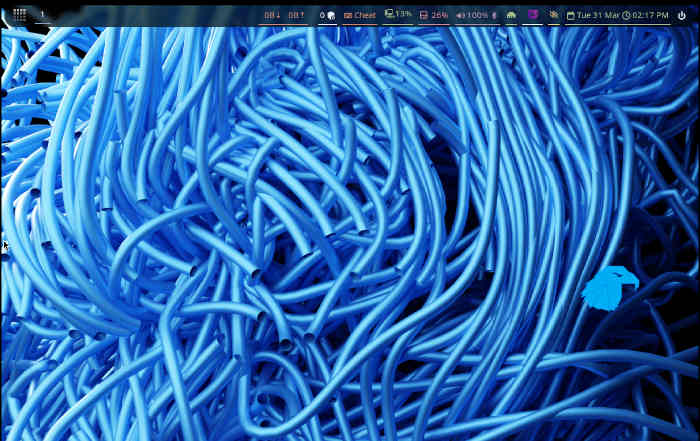
Hyprland could be the future of the Linux desktop… with one caveat. Configuring it is complex.
Back in my early days on Linux, I loved spending inordinate amounts of time customizing my desktop. AfterStep was one of the first window managers I used that was capable of so much more than anything I’d experienced to date.
With AfterStep, I was able to customize my desktop to include transparencies, animations, and all sorts of killer bells and whistles.
And that was back in the late 1990s and early 2000s.
These days, the Linux desktop has become highly polished and stable. The main players (such as GNOME, KDE Plasma, Xfce, Cinnamon, Pantheon) are fast, smooth, efficient, and fun to use.

But there’s always room for more, and one of those “mores” happens to be the tiling window manager Hyprland.
What Is Hyprland?
Hyprland is a dynamic, tiling window manager that supports all sorts of eye candy, such as rounded corners, transparency, animations, plugins, and support for Wayland. It’s also open source, released under the BSD 3-Clause license. What I really appreciate about Hyprland is that it’s the perfect amalgamation of old and new.
If you’ve never experienced a tiling window manager, imagine that you worked on a desktop that automatically placed app windows in the best possible location for you to work on multiple windows at once.
For example, you open Firefox and it automatically takes up the full screen. Then you open a terminal app, which splits the screen vertically in half with Firefox. Then you open Geary to check email, which cuts the display in thirds, such that you have Firefox on the left edge, the terminal in the center, and Geary on the right. That doesn’t work for you, so you use your keyboard to move Geary under the terminal window. Now you have Firefox taking up half of the vertical screen on the left, and the terminal app and Geary splitting the remaining 50% horizontally.
All of that happens without you having to carefully resize a window to fit the layout you need.

Tiling window managers are incredibly efficient.
Customizations
One thing about Hyprland that harkens back to AfterStep is the ability to customize the desktop in any way imaginable. If you do a search for Hyprland customization examples, you’ll run into some of the most fantastic-looking desktops around.
But those customizations come at a price… complexity.
You see, Hyprland is configured using .conf files. If you look in the ~/.config/hyprland directory, you’ll find a file named hyprland.conf. In that file is where every single customization is taken care of. If you’re new to Linux and you open that file, you’ll probably be overwhelmed.
A sample portion of a hyprland.conf file might look like this:

# --- Monitors ---
# Syntax: monitor=name,resolution,position,scale
monitor=,preferred,auto,auto

# --- Variables ---
$terminal = kitty
$fileManager = dolphin
$menu = hyprlauncher

# --- Autostart ---
exec-once = waybar & hyprpaper & firefox
exec-once = nm-applet &

# --- Input ---
input {
    kb_layout = us
    follow_mouse = 1
    touchpad {
        natural_scroll = false
    }
}
Think about it this way: The hyprland.conf file is broken into sections, such as Monitors (where you configure your monitor), Variables (where you set certain things, such as your default terminal app), Autostart (apps you want to start upon logging in), Input (how you configure your mouse and touchpad), and so on.
The list of these configuration options continues, and once you understand that layout, things start to get much easier.
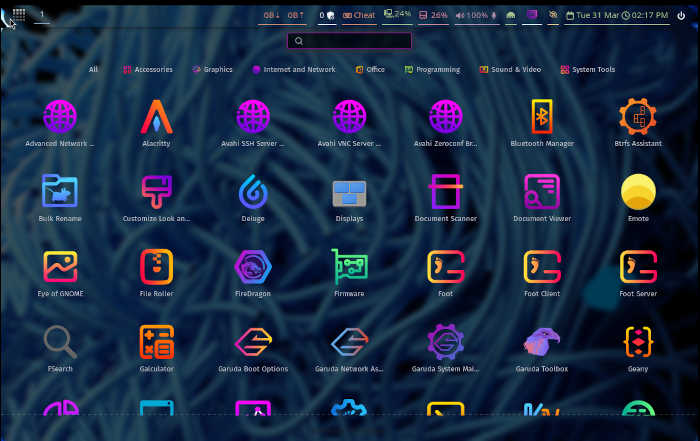
There’s even a customizable App Overview that helps make Hyprland even more efficient.
hyprctl
And then we have the hyprctl command, which is used to control certain aspects of the compositor, such as reloading Hyprland after making changes to the configuration file. The hyprctl command also allows you to make changes to the desktop on the fly. The only caveat to this is that those changes aren’t saved. It is, however, a way for you to test out possible configuration options.
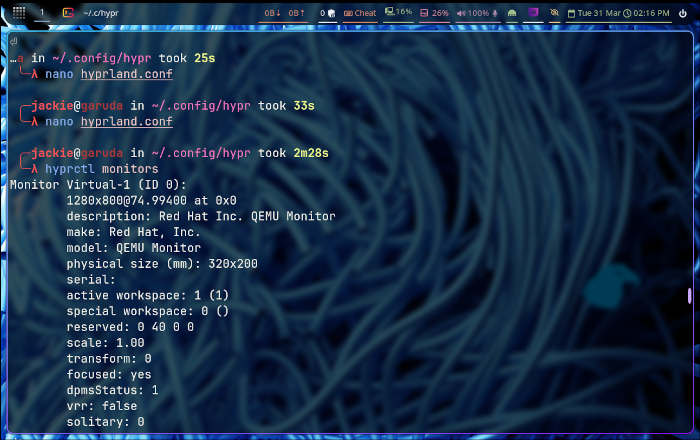
The hyprctl command also allows you to view sections of your hyprland.conf file. For example, if you issue the command hyprctl monitors, you might see something like this in the output:

Monitor eDP-1 (ID 0):
        1920x1080@144.003006 at 0x0
        description: Red Hat Inc. QEMU Monitor
        …
For my instance, I’m running Hyprland as a virtual machine via Virt-Monitor/KVM.
Rice
I’m not talking about the side dish you get at your favorite Indian restaurant. With regards to Hyprland, rice refers to “ricing” which is the personal aesthetic and functional customization of the desktop.
Ricing is what I used to do with AfterStep, in that I would spend hours at a time customizing it. When you use Hyprland, you’ll eventually realize how much you can customize the desktop, which will cause you to spend a lot of time making the desktop look seriously cool. For some, that time is well spent; for others, it’s a waste.
Which leads me to this…
Who Is Hyprland For?
The first part of this answer is simple: Hyprland is for any user who wants to work with an amazingly efficient Linux desktop. Thanks to its tiling nature, Hyprland makes managing app windows effortless. And because you’ll spend most of your time with your fingers on your keyboard (and not moving between it and your mouse), it’s very efficient.

At the same time, Hyprland is also for those who can’t get enough customization on the desktop. This window manager is a tinkerer’s dream come true.
So, if efficiency and customization are your top priorities, I would seriously consider giving Hyprland a try.
How Do You Try It?
This is where it gets a bit complicated. Yes, you can install Hyprland on Debian, Fedora, and Arch-based distributions, but in my experience that’s been hit-or-miss. Your best bet is to go with a distribution that offers Hyprland as a preconfigured option. As far as which distributions, consider the following:
Things I like about Hyprland… |
Things I don’t like about Hyprland… |
|---|---|
|
|

Jack Wallen is an award-winning writer for TechRepublic, ZDNET, The New Stack, and Linux New Media. He’s covered a variety of topics for over twenty years and is an avid promoter of open source. Jack is also a novelist with over 50 published works of fiction. For more news about Jack Wallen, visit his website.

Be First to Comment