
A trusted Debian dev turns scary new kernel bugs into a temporary one‑click fix until distros ship permanent patches.

Yikes! First there was Copy Fail, now there’s Dirty Frag. That’s two — count ’em — two Linux vulnerabilities that could give bad guys root access to your computer at once. Well, there’s actually three, but to explain that would get too complicated for what I’m here for.
It’s beginning to make me feel a little bit like the old days when I was chained to Windows.
Anyway, I have good news for people who use Debian, Ubuntu, Linux Mint, or other Debian-based distros, but first I need to get from here to there.
Like about every other Linux-focused tech writer on the planet, I’ve already told you about the first exploit, Copy Fail, which we’ve known about for about a week now. That one’s already been fixed at the kernel level, but those fixed kernels are taking a long time winding their way into Linux distros’ update systems. Now there’s Dirty Frag, which essentially has the same result from a user perspective — it hands over root to an unprivileged bad guy — although it goes about it differently.
Both of these are a little non-trivial to trigger, which should mean that most of us desktop users are safe as long as we’re very, very careful. Trouble is, ya never know when you’re liable to screw up and accidently click on that link that appears to be too good to be true in an email…
Temporary command line mitigations are being published everywhere online. These come with a caveat: they’re perfectly fine for most but not all desktop users, but mostly aren’t advisable on the server level or on some enterprise workstations. This is because they take away some functionality that businesses use, including the use of VPN’s, which are also used by many home users. But, for a temporary fix until a properly patched kernel shows up in your update manager, they’ll keep you from accidentally exposing the password to your bank account to some lurker in your system.
Some home users might be afraid of applying the mitigations, however, because they require opening a terminal and working with the command line, which if probably more true today than ever. These days there are plenty of middle-aged dyed-in-the-wool computer users with no experience on the command line because there’s always been GUIs.
There’s some good news for these folks. Daniel Baumann, a long-time Debian Developer and Linux systems engineer, has wrapped all the mitagations into a single .deb file and posted them online, ready to be installed with a couple of clicks of a mouse. They’ll give you a lot of protection from these exploits until the permanent fix ends up becoming available for your distro, which hopefully won’t take too long.
I’ve tried out the fix and everything on my machines seems to work fine afterwards, so nothing got broken evidently. I also looked at the code first. There are no blobs, and it appears to run the same commands that everybody on the internet is saying to run. So now you have no excuse, you can run all the mitigations without having to be nervous about the command line thing.
Here’s step-by-step instructions, with screenshots, for downloading and installing Baumann’s fix for Debian-based distros that use .deb files natively. You can skip the first step if you wish and just start by clicking on the link in the second step — I’m only including the first steps so you can see the source for yourself:

- Go to https://people.debian.org/~daniel/linux-vulnerability-mitigation/ This is a page belonging to Baumann on the Debian website.
- Click on linux-vulnerability-mitigation_20260508.2-1_all.deb, which is the third choice below “Parent Directory.” This will either download the file to your default download location, or prompt you for a location to put the download.

- Using a file manager, navigate to the file you just downloaded and click on it. This should bring up the GDebi package installer. Click on Install Package.
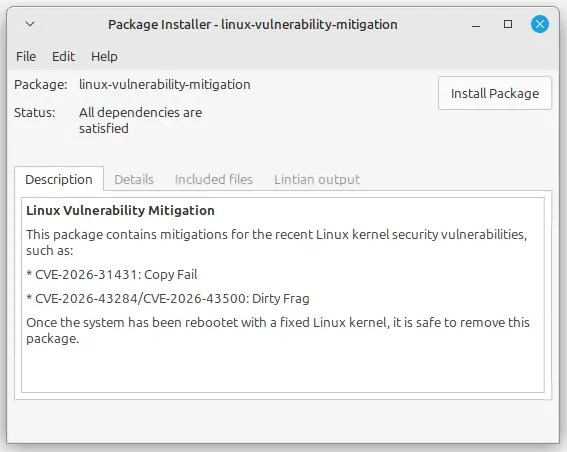
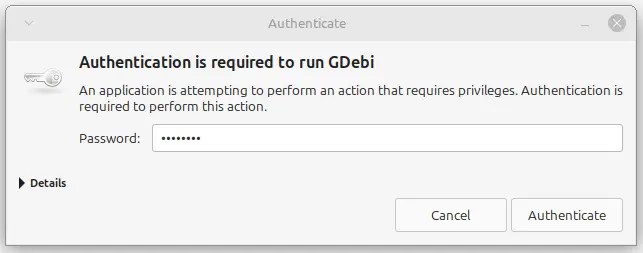
- At this point, you will need to enter you password to proceed with the installation.
- A dialog box should appear with the heading “Enable Linux Vulnerability Mitigations.” Most people should click “All” to mitigate against everything. If absolutely must run a VPN click CVE-2026-31431, which protect you from Copy Fail but will still leave you vulnerable to Dirty Frag. Click Next.

- When the ‘Installation Finished’ box appears, click close.
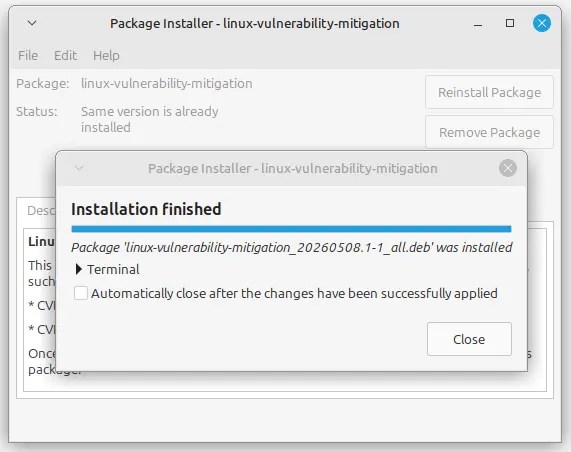
At this point, your mitigation is complete and you’re protected. However, in the next few days your distro will be issuing a kernel patch that will properly do away with the exploits. At this point you’re going to want to remove the temporary fix you just put in place. To do so, use your file manager and navigate to the file containing the mitigations and click on it.
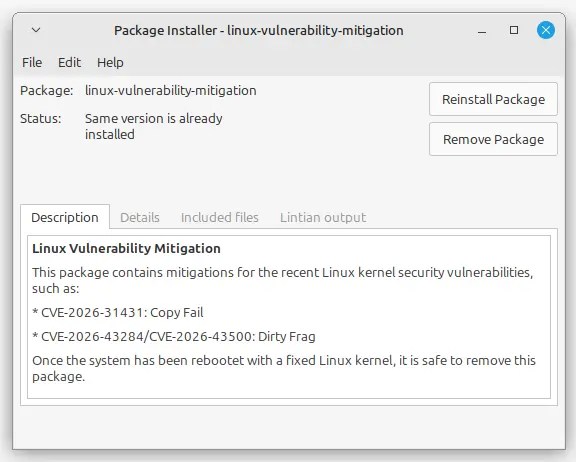
This will bring up GDebi, which will give you the options to reinstall or remove the package. Click Remove Package.
You should probably hurry, however. There’s no guarantee that Debian won’t decide to take this one-click fix down.

Christine Hall has been a journalist since 1971. In 2001, she began writing a weekly consumer computer column and started covering Linux and FOSS in 2002 after making the switch to GNU/Linux. Follow her on Twitter: @BrideOfLinux


I don’t think they’ll take it down, it’s already in unstable:
~$ LANG=C apt-cache policy linux-vulnerability-mitigation
linux-vulnerability-mitigation:
Installed: 20260508.2-2
Candidate: 20260508.2-2
Version table:
*** 20260508.2-2 500
500 http://ftp.de.debian.org/debian unstable/main amd64 Packages
500 http://ftp.de.debian.org/debian unstable/main i386 Packages
100 /var/lib/dpkg/status
I I understood correctly the Dirty Frag mitigation can still be applied without issue provided the VPN doesn’t use the IPSec protocol. Wireguard users for example should be totally fine applying it.