
Online Euro-Office arrived this summer for running on Nextcloud’s platform, but now a version that runs locally has been released for Linux, Mac, and Windows – and it’s ready to collaborate with the cloud version.
And they say that Friday the 13th is unlucky.
Back in May, Germany’s Nextcloud (for full disclosure, a FOSS Force Platinum Sponsor) announced that Euro-Office, the anticipated fork and repurposing of OnlyOffice to meet EU digital sovereignty needs, would happen with the June release of Nextcloud Hub 26 Spring, which it did in an online-only version. That was good news for users of Nextcloud’s host-it-yourself cloud platform, but not so helpful for those who were waiting for a version to run locally on their own desktops, laptops, and workstations.
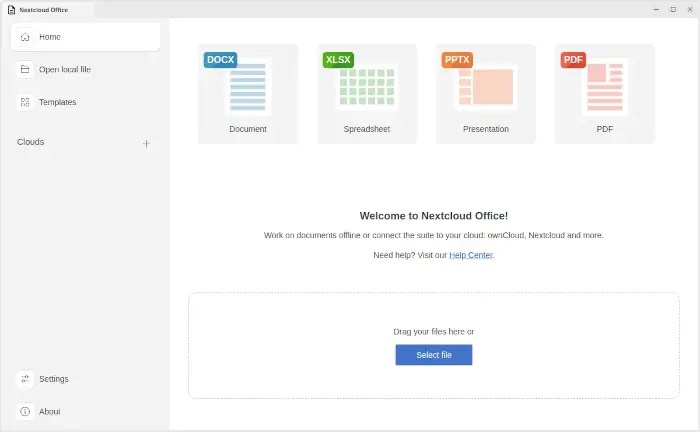
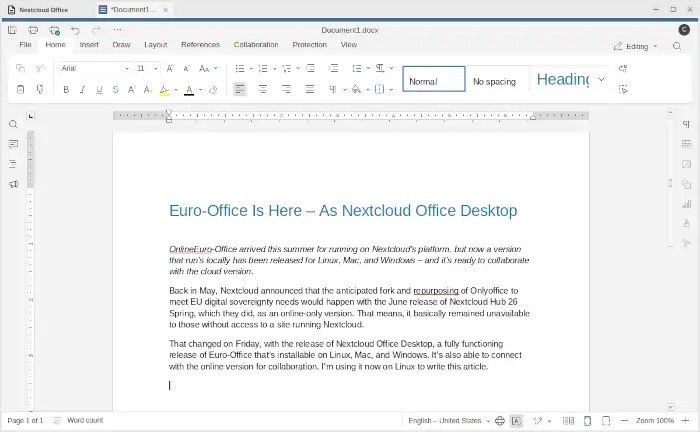
That changed on Friday, with the release of Nextcloud Office Desktop, a fully functioning release of Euro-Office that’s installable on Linux, Mac, and Windows. It’s also able to connect with Nextcloud’s online version for collaboration. I’m using it now on Linux to write this article.
Euro-Office was announced earlier this year by the consortium of EU-based tech firms that are also working on the European digital sovereignty project, Eurostack, a federated, interoperable cloud stack based on the continent and including as much open source software as possible.
Euro-Office is to be an alternative to Microsoft’s Office and Google Docs. OnlyOffice was chosen to be the project’s base, primarily because of its faithful rendering of OOXML, Microsoft Office’s open but obscured document format, which is important for EU-based businesses that do business with the US and other locations where Office dominates.
Test Driving Nextcloud Office Desktop
From the start it was planned for Euro-Office to have three versions: one for the cloud, another to run locally on PCs and workstations, and another to run as an app on Android and iOS devices. With Friday’s release, all that’s left is the mobile app to make the project a three-in-one solution — with a desktop version and mobile app that easily connect and share with the cloud version (this desktop release already does that).
This weekend I took the new release for a test drive. With no experience whatsoever using OnlyOffice or Nextcloud’s cloud version of Euro-Office, I decided to just wing it to see how easy the software would be to fly using only my experience with other office software (mostly from the StarOffice/ OpenOffice/ LibreOffice family, but also Office/ Word, and going back a ways, WordPerfect and WordStar).
So far, I’ve had very little difficulty. I’m writing this article with it, but that’s easy because a word processor is a word processor, and article writing requires little in the way of formatting — and absolutely no hard to learn esoteric editing.
That doesn’t mean I haven’t run across speed bumps, mind you — sometimes where I least expected to find them. On my first attempt to paste some formatted text, I discovered that the context menu brought up by right-clicking didn’t include a “paste without formatting” option. That was easily handled by using the keyboard shortcut Ctrl+Shift+V, however. I’m figuring the missing context menu option was one of those rush-to-release oversights that’ll quickly be rectified by Nextcloud’s devs.

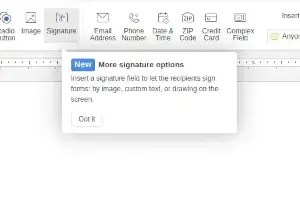
The app also lets you create and edit PDFs, which is handy — but which is also where I ran across a bit of a learning curve issue. The app has a nifty feature for creating PDFs that can be signed using a signing method baked into the PDF — good for contracts and the like. It took me a long while to figure out how to make that work, and even then, I’m not sure that if I attach it to an email the recipient would be able to sign it after opening. I’ll figure it out, though.
Dancing With Microsoft Word
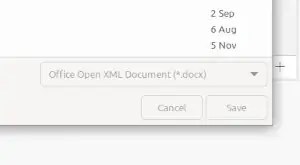
Interestingly, the app defaults to .docx — which is mostly associated with Microsoft’s products — instead of .odt, which is what most open source office suites use. Given that the app was forked from OnlyOffice specifically because it works and plays well with Microsoft’s format — and I certainly see the need for business software to be compatible with other businesses’ software — I completely understand Nextcloud’s (and the European business community’s) reasoning.
However, I was a little surprised to find that in a Nextcloud product, knowing how thoroughly the company’s leadership supports and advocates for open source.
Drive It Yourself
If you’re thinking this might be the time to take Nextcloud Office Desktop out and kick the tires, you should — especially if you live in the EU, where I suspect the software is getting ready to get a bit of proud European uptake.
The Linux port is available as both a .deb file and as an .rpm. For my Xfce Linux Mint setup, all that was needed was to download it. From there, I could’ve installed it using apt in a terminal, or what I did, which was click on the file from inside a file manager. That opened it in GDebi, which meant installation was just a click away.

Christine Hall has been a journalist since 1971. In 2001, she began writing a weekly consumer computer column and started covering Linux and FOSS in 2002 after making the switch to GNU/Linux. Follow her on Twitter: @BrideOfLinux


Be First to Comment